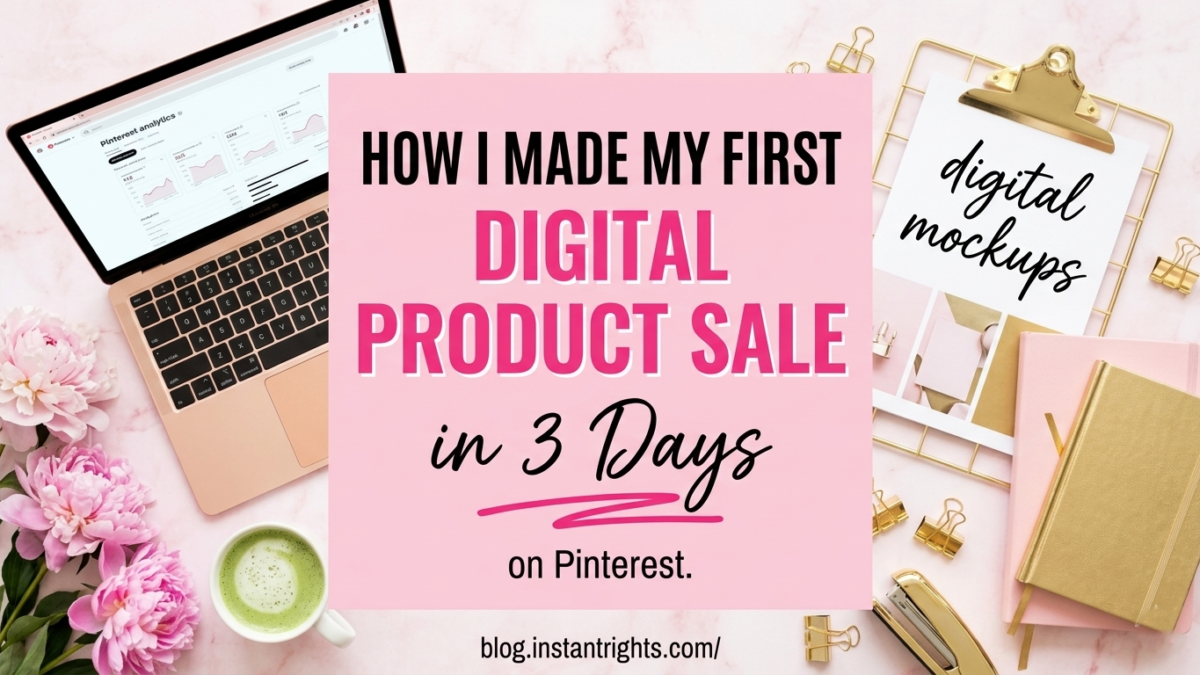
You can make your first digital product sale on Pinterest in under a week by following three steps: find a trending topic people are already searching for, create a simple digital product that solves a specific problem around that topic, and promote it with keyword-rich Pinterest pins that link directly to your product page. The key is not perfection — it’s speed and specificity. A focused digital product promoted with bright, strategic pins can generate sales within days, even if you’re starting with zero audience.
Introduction
It was Christmas morning. Wrapping paper everywhere. My kids were losing their minds over their gifts, my husband was trying to keep the dog from eating the ribbons, and I was — honestly — half expecting another quiet day with zero sales.
Then my phone buzzed.
A sale notification. On Christmas Day. From a product I’d built during nap times over the course of a week.
I genuinely stood there in the middle of the holiday chaos just staring at my screen. Not because the amount was life-changing — it wasn’t. But because it proved something I’d been hoping was true: this actually works. Even with two kids, zero graphic design background, and a phone that was more sticky than sleek.
If you’ve been wondering whether you can really make money selling digital products on Pinterest — especially as a busy mom — I’m here to tell you exactly how I did it. Step by step. No fluff.
Just so you know — some links in this post are affiliate links. If you grab something through my link, I may earn a small commission at no extra cost to you. I only share things I genuinely use or love. ✨
Why Pinterest Is the Best Platform to Start Selling Digital Products
Before we get into the how — let me quickly explain why Pinterest specifically, because this matters.
Pinterest isn’t social media. It’s a visual search engine. People go there actively looking for solutions, ideas, and products — not to scroll through what their friends had for lunch. When someone searches “holiday game for families” on Pinterest, they’re in discovery mode with real intent. That’s a fundamentally different buyer than someone passively scrolling Instagram.
This is why Pinterest converts so well for digital products. The people finding your pins are already looking for what you’re selling. You’re not interrupting them — you’re answering them.
And unlike Instagram or TikTok where content dies in 24–48 hours, a Pinterest pin has a shelf life of 6–18 months. The pins I created in December are still sending traffic to my products today. That’s the compound effect that makes Pinterest the highest-ROI free traffic channel for digital product sellers.
Step 1: Listen to What People Are Already Searching For
The biggest mistake new digital product sellers make is creating something they want to make, not something people are actively searching for. I almost made that mistake too.
What saved me was paying attention. I had been posting basic seasonal pins and simple blog content, and I noticed one thing outperforming everything else: a pin about Christmas games for families was getting consistent clicks. Not a sale — just clicks. But clicks meant intent. And intent meant there was a buyer audience already there.
So I asked myself a simple question: what would make that audience’s holiday even better?
That question led directly to my first product.
How to find your own version of this:
- Look at your existing Pinterest analytics — which pins are getting the most impressions and clicks?
- Search your niche on Pinterest and look at what comes up in the auto-suggestions (those are real searches people are making)
- Check Etsy for your topic — listings with recent reviews prove people are buying, not just browsing
- Look for the specific problem your audience is trying to solve, not just the general topic
For researching what’s actually selling on Etsy right now — Everbee is the tool I use. It’s a free Chrome extension that layers real sales data directly onto Etsy search results so you can see estimated monthly sales and search volume before you build anything. Genuinely one of the most useful tools in my workflow.
You don’t need to create something completely original. You just need to create something more specific. “Christmas games for families” became “Holiday Heist — a printable family game that takes 5 minutes to set up.” Same topic, but a specific product with a specific promise. That specificity is what converts browsers into buyers.
Step 2: Create Something Simple That Solves One Problem
Here’s where most people overthink it and never start. They imagine they need professional design skills, complex software, or weeks of preparation. I’m here to tell you the truth: my first product was built during nap times using free tools.
My product — Holiday Heist, a printable family Christmas game — was created using exactly two tools:
ChatGPT for brainstorming the game mechanics and writing the instructions. I described what I wanted (a fun, festive family game that anyone could play without setup stress) and it helped me structure the game flow, write the rules clearly, and come up with the name.
Canva for the design. Canva has free templates, a drag-and-drop interface, and zero learning curve. I chose a bright, festive color palette, added the game elements, and had a print-ready PDF in a few hours of working in small chunks during naps.
What made the product work:
- It solved one specific problem (family holiday entertainment without effort)
- It was instantly accessible — download, print, play
- It was priced accessibly ($5–$7) for a first launch
- It looked professional even though I’m not a designer
You don’t need to be an expert. You need to create something genuinely useful for a specific person in a specific situation.
For more on what types of digital products to create: check out 50 Digital Products to Sell on Etsy Right Now and The Best Digital Products to Sell Online If You’re Starting From Zero — both have specific ideas organized by skill level.
Step 3: Promote With Strategic Pinterest Pins That Actually Drive Clicks
Creating the product is half the work. Getting people to find it is the other half — and this is where most new sellers stall.
Here’s what I learned fast: not all Pinterest pins are equal. Some pins get saves. Some get clicks. You want clicks — clicks mean someone is visiting your product page.
The difference between a pin that gets saved (people want to reference later) and a pin that gets clicked (people want to act now) comes down to one thing: does the pin answer the question completely, or does it create enough curiosity that the reader has to click to get the rest?
An infographic that shows someone 5 complete tips gets saved. A pin that says “The Christmas game that saved our family gathering — here’s how it works →” gets clicked. Never give away everything on the pin.
My pinning strategy:
I created two types of pins for each product:
- Direct product pins — linked straight to my product page with a clear title and a curiosity hook in the image text
- Blog pins — linked to a related blog post that naturally recommended the product mid-read
Both types drove traffic. The blog pins actually converted better in the long run because readers arrived warmed up from reading helpful content.
The practical side of creating pins:
For creating professional-looking Pinterest pins without spending hours on design — I use PinCraft AI (grab it free here). It’s a tool specifically built for generating Pinterest pins for digital products — you get SEO-optimized titles, descriptions, and visual prompts. It also has a cooldown tracker so you never accidentally over-pin the same link and risk getting flagged. Genuinely one of the better workflow shortcuts I’ve found for this.
For scheduling my pins consistently without manually posting every day — Metricool lets me batch-schedule a full month of Pinterest content in one sitting. I set it up Sunday evening and let it run all week.
Pinterest rewards consistency more than volume. Five pins a week for eight weeks outperforms twenty pins in one week and then silence. Set a sustainable rhythm and stick to it. Even during the weeks when life is chaotic — five pins is always achievable.
Step 4: Track What’s Working and Double Down
My product page had only 35 views when I made that first Christmas Day sale. That’s not a lot of traffic — but it was the *right* traffic. Targeted people who were searching for exactly what I had created.
After that first sale I did one thing: I looked at which pin had driven that buyer to my page and I made more pins in that same style, with that same type of hook, pointing to the same product.
The simple tracking system:
- Check Pinterest analytics weekly — which pins are getting the most clicks (not just saves)
- Note what the title text on those pins says — that’s your hook formula
- Create 2–3 variations of your best-performing pins
- Check your product page analytics — where is the traffic coming from?
This isn’t complicated data science. It’s just paying attention to what’s working and doing more of it.
For deeper Etsy product research as you expand your catalog — EtsyShop AI shows trending products and keyword demand so you can see what buyers are searching for before you spend time creating. I run every new product idea through a research check before I build anything.
The Real Talk: What Made This Actually Work
Looking back, my first sale wasn’t luck. But it also wasn’t some complicated funnel or years of audience building. Here’s what it actually was:
Specific product for a specific person. Not “a Christmas game” but “a printable Christmas game for families that takes 5 minutes to set up.” One person, one problem, one solution.
Speed over perfection. I launched a product that was good enough, not perfect. The market feedback from real buyers is worth infinitely more than another week of tweaking in Canva.
Two types of Pinterest traffic. Direct pins to the product page plus blog content pins that warmed up readers before showing them the product. Both paths mattered.
Consistent pinning from day one. Not waiting until I had ten products to start promoting. Start the traffic engine with your first product.
I also want to be honest about my broader income context: I make over $50,000 a year from a completely separate side hustle selling jewelry via WhatsApp and Facebook. Digital products are an *addition* to my income strategy, not my only revenue. I share this because I think it’s important to be real — building digital product income takes time, and having multiple income streams while you build is completely normal and smart.
What Happened After That Christmas Day Sale ✨
That first sale was $5. But what it proved was priceless.
It proved Pinterest works as a search engine for digital products. It proved that a non-designer mom of two can build something in nap times and sell it. And it proved that the formula — specific product, targeted Pinterest pins, consistent traffic — is repeatable.
Since then I’ve expanded my digital product catalog, added blog content that drives warm traffic, and built a Pinterest presence that generates sales consistently. Not every month is the same, and it’s not all passive — there’s real work involved, especially in the building phase.
But here’s what I want you to hold onto: the first sale is the hardest one. Once you’ve proven the system works for you, everything that comes after is just iteration.
Your product doesn’t need to be perfect. Your design doesn’t need to be professional. Your audience doesn’t need to be huge.
You just need to start.
Grab PinCraft AI free here — it’s the tool I use to create Pinterest pins for my digital products quickly, and it’s completely free to start. Your first sale could be closer than you think. 🎄
Frequently Asked Questions
Q1: Do I need a big Pinterest following to make my first digital product sale?
A: No — and this is one of Pinterest’s biggest advantages over other platforms. Pinterest is a search engine, not a social network. Your pins show up in search results based on keywords, not follower count. My product page had only 35 views before my first sale. You need targeted traffic, not massive traffic.
Q2: What’s the easiest digital product to create for a first sale?
A: Printable products — games, checklists, planners, templates — are the most accessible starting point. They can be created in Canva for free, delivered as a PDF, and priced at $5–$15. The key is picking a very specific topic with proven Pinterest search volume, not a broad generic product.
Q3: How much does it cost to start selling digital products on Pinterest?
A: Almost nothing. Canva (free), a product delivery platform like Payhip or Gumroad (free tier), Pinterest (free), and PinCraft AI for pin creation (free). Your main investment is time, not money. This is genuinely one of the lowest-barrier income streams available.
Q4: How do I know what digital product to create?
A: Look at what’s already getting clicks on your Pinterest account or in your niche. The topics that attract attention are telling you what people are searching for. Then ask: what specific, simple thing could I create that would make this person’s life easier? Research the demand on Etsy using a tool like Everbee before you build.
Q5: How long does it realistically take to make consistent sales from digital products?
A: Most sellers making consistent income from digital products got there in 3–9 months of building their catalog and driving Pinterest traffic. Month one might be $0–$20. Month three is often $50–$200 with a few solid products and consistent pinning. The compounding really kicks in around the 6-month mark when your pins and listings have accumulated traffic history.
You Don’t Need Perfect Conditions to Start
Christmas morning chaos. Two kids. No design skills. A product page with 35 views.
None of that stopped the first sale from happening.
Three things to carry forward:
- Specific beats broad — the more targeted your product and your pins, the faster you convert
- Speed beats perfection — launch and iterate, don’t polish indefinitely
- Consistency beats volume — 5 pins a week for 8 weeks beats 40 pins in one week
Your first sale is waiting on the other side of your first product. Go build it.
Grab PinCraft AI free here — create your first Pinterest pins for your digital product and start driving traffic today. 🎄
Try PinCraft AI Free Today
Design beautiful Pinterest pins in seconds with AI. Start your free trial — no credit card needed.

Helping creators use AI tools and Pinterest to build digital product income from home.