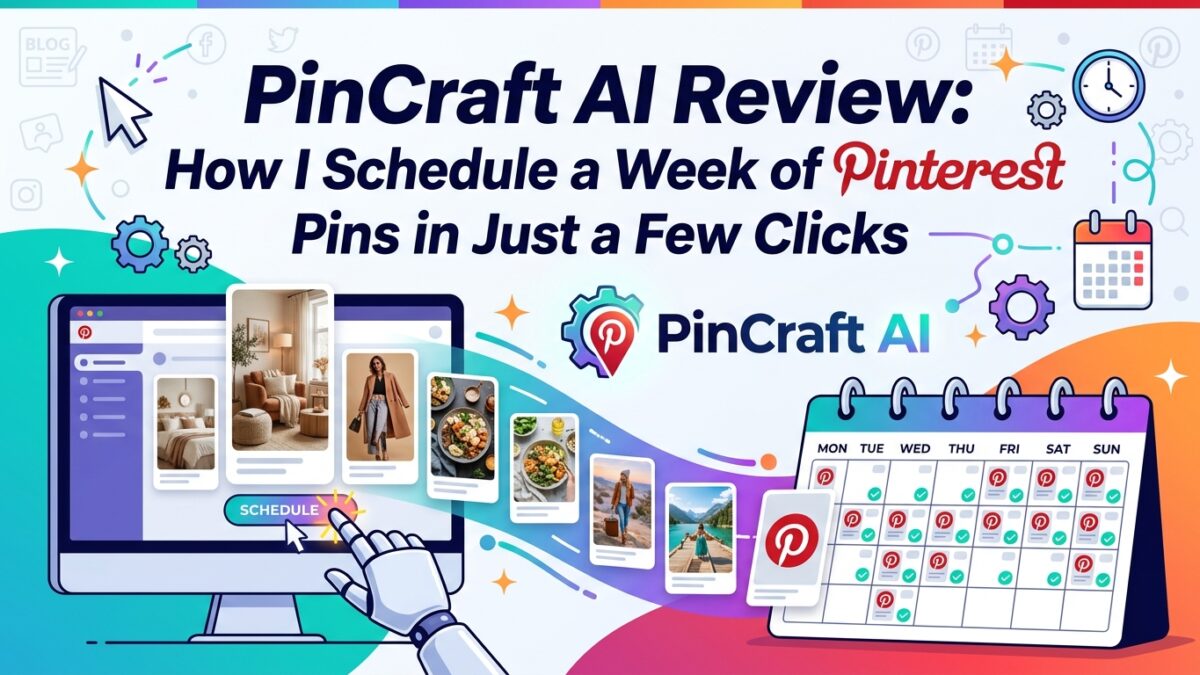
Let me be real with you — I used to spend half my Sunday writing Pinterest titles and descriptions for posts I’d already written during the week. Sound familiar? It felt like doing homework twice. Then I found PinCraft AI, and honestly, my whole workflow flipped upside down — in the best way possible.
If you run a blog, sell digital products, or manage Pinterest for your business, stick around. This one’s for you.
What Even Is PinCraft AI?
PinCraft AI is a Pinterest content generation tool built specifically for people who are serious about organic traffic. Not just “post and pray” traffic — actual, SEO-driven, keyword-rich content that gets your pins seen.
The tool handles three major headaches most Pinterest creators deal with daily:
- Writing bulk titles and descriptions for multiple posts at once
- Creating stunning mockup visuals for digital products
- Managing a smart pinning schedule so you don’t accidentally get flagged for spam
And the kicker? It does all three faster than you can finish a cup of coffee. IMO, it’s one of the most practical AI tools I’ve actually stuck with.
The Batch Generator: My Favorite Time-Saver
Writing 20 Pins Used to Take Me Hours
Seriously. I’d sit down, open a blank doc, and stare at my blog posts thinking, “How do I make this sound exciting for the fifth time this week?”
With PinCraft, I upload a CSV or paste up to 20 URLs, hit generate, and the AI gets to work across all of them simultaneously. We’re talking 20 unique titles, 20 SEO descriptions, and 20 image prompts — all done before I’ve scrolled Twitter for 10 minutes.
The SEO Magic Is Actually Smart
Here’s what makes this different from just asking ChatGPT to “write me a Pinterest description.” PinCraft scans each URL and automatically surfaces 5–7 high-traffic keywords relevant to that specific piece of content. So if you wrote a post about budget meal prep, it’s already pulling terms like “cheap dinner ideas” or “meal prep for beginners” — without you having to research a thing.
It doesn’t just keyword-stuff either. The descriptions read naturally, which matters because Pinterest’s algorithm has gotten much better at detecting low-quality, repetitive content.
The “Spin” Feature Is a Lifesaver
Don’t love a title it generated? Click Spin on that one result and it regenerates just that field — without touching everything else. No starting over. No losing the 19 descriptions you were happy with.
You can also set the tone based on your niche:
- Friendly & Engaging for lifestyle or mom blogs
- Direct & Sales-focused for e-commerce
- Witty & Humorous for entertainment content
That tone control alone makes the content feel far less… robot-y 🙂
The Mockup Studio: Digital Products, Meet Your Match
My Product Photos Were Embarrassing
I sell digital planners. And for the longest time, my Pinterest pins looked like screenshots from 2014. Plain white background, small image, zero context. Nobody was clicking.
PinCraft’s Mockup Studio changed that. I upload a flat screenshot of my planner — nothing fancy — and the AI places it into a polished lifestyle scene. I’ve used:
- “Cozy Morning” — warm light, linen textures, coffee cup nearby
- “Professional Office” — clean desk, natural light, minimal clutter
- “Coffee Shop” — marble table, blurred background, just the right vibe
The result looks like I paid a photographer. I did not pay a photographer.
Real Text, Crisp and Clean
One thing that drives me insane about AI-generated images? The text always looks like it was typed by someone having a stroke. PinCraft bypasses that entirely by layering real typography directly over the image after generation. You pick the font, the color, the shadow, and where it sits (top, middle, or bottom of the pin).
No blurry letters. No misspellings. Just clean, professional text that actually says what you want it to say.
Theme Injection for Seasonal Content
This one’s sneaky good. I have a bunch of evergreen pins — things like “Best Digital Planners for Busy Moms” — that I want to refresh seasonally. With Theme Injection, I can turn any pin into a “Back to School” or “New Year Reset” version in one click.
I add these seasonalized pins to my blog posts whenever I’m seeing traffic spike in those categories. More on that in a second.
The Smart Scheduler: Stop Getting Flagged
The 7-Day Safety Rule You Didn’t Know You Needed
Here’s something a lot of Pinterest creators learn the hard way — pinning the same link too frequently gets you flagged for spam. Pinterest doesn’t care how good your content is if you’re hammering the same URL every other day.
PinCraft tracks this automatically with what it calls the 7-Day Safety Valve. It logs when you last generated content for a URL and shows you a visual cooldown status. When I log in, I can instantly see which posts are “Ready” to pin again and which ones are still in cooldown.
No spreadsheet tracking. No guessing. No getting your account suspended. :/
The Sitemap Import Is Chef’s Kiss
Got a blog with 200 posts? Import your XML sitemap and PinCraft populates your entire content inventory in seconds. From there you can see everything in a clean Status Dashboard — how many posts are ready for fresh pins today, how many are paused, and what’s cooling down.
I schedule my pins for the entire week in a few clicks. Literally. I open the dashboard on Monday morning, see what’s ready, generate the content I need, and I’m done. The rest of the week, Pinterest is running on autopilot.
How I Actually Use PinCraft Day-to-Day
Here’s my exact workflow, because I know someone’s going to ask:
- Monday morning: Open PinCraft dashboard, check which posts are “Ready”
- Generate batch content: Paste the ready URLs, set tone to “Friendly & Engaging,” hit generate
- Quick review: Spin any titles I’m not feeling, adjust keywords if needed
- Mockup creation: For any digital product posts, I create a fresh mockup in the Studio — usually takes me 3–4 minutes per pin
- Export: Download the CSV and images, upload to my scheduling tool
- Done: The whole thing takes under 30 minutes for a full week of content
And FYI — when I notice certain blog posts getting a traffic spike (from Google or Pinterest), I jump into the Mockup Studio and create a fresh seasonal version of that pin. That little habit has helped me squeeze extra traffic out of posts that were already performing well.
Who Is PinCraft AI Actually For?
Let’s be honest — not every tool is for everyone. PinCraft hits hardest for:
- Bloggers who publish regularly and need Pinterest content to match
- Etsy sellers and digital product creators who want professional-looking pins without hiring a designer
- Affiliate marketers running niche sites with lots of posts to promote
- Pinterest managers handling multiple accounts who need a scalable workflow
If you pin once a month and don’t really care about SEO, this might be overkill. But if Pinterest is part of your actual traffic strategy? This tool pays for itself fast.
The Bottom Line
PinCraft AI isn’t just an AI writing tool with a Pinterest skin slapped on top. It’s a full workflow system — from content creation to visual production to smart scheduling — built specifically around how Pinterest actually works.
The batch generator saves me hours every week. The mockup studio makes my digital products look legit. And the Smart Scheduler keeps me from accidentally tanking my own account.
If you’re serious about Pinterest traffic, give it a shot. The time you save in the first week alone will tell you everything you need to know.
Now if you’ll excuse me, I have a sitemap to import and a very large coffee to drink.
Try PinCraft AI Free Today
Design beautiful Pinterest pins in seconds with AI. Start your free trial — no credit card needed.

Helping creators use AI tools and Pinterest to build digital product income from home.