Just so you know — some links in this post are affiliate links. I may earn a small commission at no extra cost to you. ✨
If you’ve been saving junk journal inspiration on Pinterest for months and wondering when you’ll actually start — this is that post.
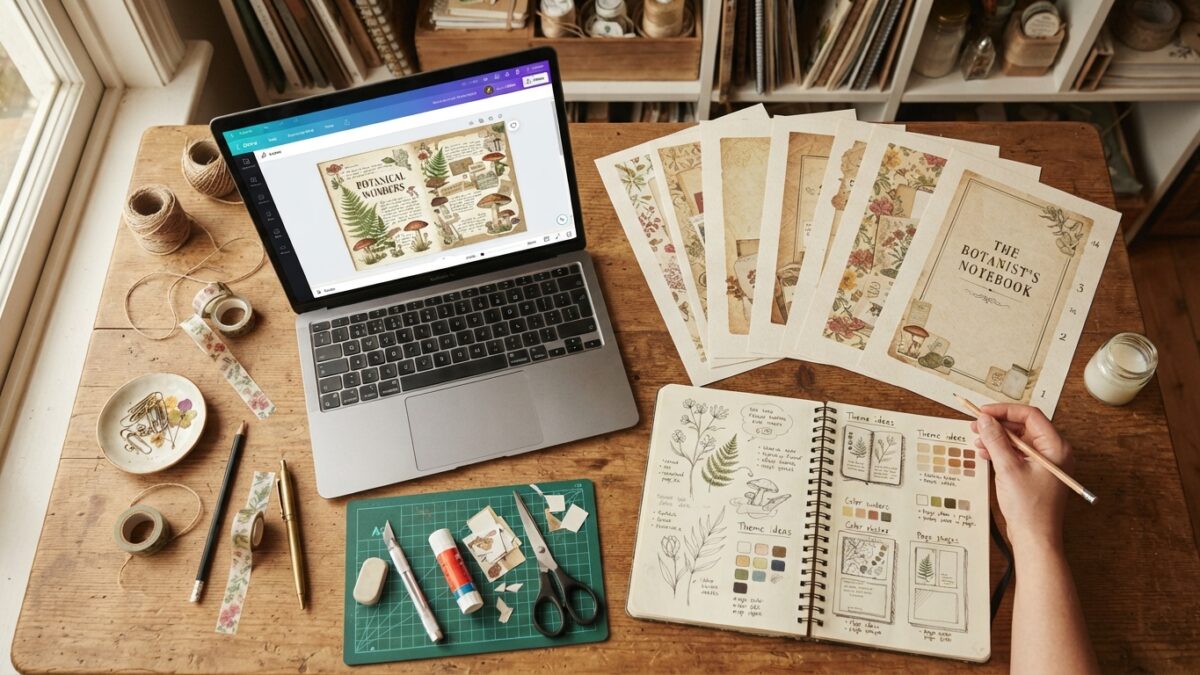
We’re walking through making your first junk journal kit with AI tools, step by step. No design experience. No craft supply haul. No Photoshop. By the end, you’ll have a complete digital kit ready to list on Etsy or sell on your own platform.
What you actually need (and what you don’t)
What you need:
- Junk Journal Prompt Generator — $17 one-time. Builds structured AI prompts automatically from your theme choices. Removes the hardest part of the workflow.
- Adobe Firefly — safest choice for Etsy sellers. Everything is commercially licensed on all plans. Included in Adobe Creative Cloud or accessible separately. Alternative: Midjourney Pro ($30/month) produces outstanding quality for vintage aesthetics but commercial rights require Pro tier.
- Canva — Free tier works for formatting. Pro adds useful tools.
- Somewhere to sell — Etsy first for existing buyer traffic, then your own platform for higher margins.
What you don’t need: Photoshop, design skills, illustration ability, physical craft supplies, a printer (buyers print themselves), or a large budget.
Total startup cost: $37–$47 for your first month.
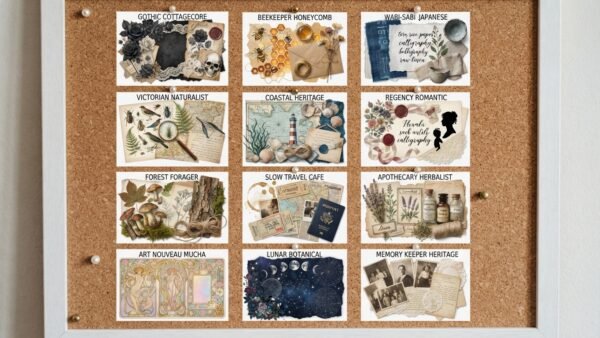
Step 1: Choose your theme before opening anything
Your theme needs to be specific before you generate a single image.
Not “vintage” — Victorian botanical field notes.
Not “dark” — Dark academia library with manuscripts and autumn leaves.
Specificity creates visual cohesion across your pages. Cohesion is what makes a $9 kit look worth $9 rather than a random collection of pretty pictures.
Best beginner themes — strong demand, AI handles them beautifully:
- Victorian Botanical Field Notes — pressed flowers, scientific labels, aged parchment. Year-round bestseller, very forgiving aesthetic.
- Cottagecore Garden — wildflowers, herbs, warm palette. Even slightly imperfect AI outputs look charming here.
- Celestial Moon and Stars — moon phases, constellations, navy and gold. Clean high-contrast results that look professional at beginner level.
Step 2: Generate your prompts

A good AI prompt for a junk journal page isn’t just “Victorian botanical page” — it needs the medium, paper texture, colour palette, decorative elements, and technical modifiers. Each component determines whether output looks like a sellable printable or a generic AI image.
Writing these by hand for 20 pages takes 90 minutes if you’re experienced with prompting. The Junk Journal Prompt Generator builds all five components automatically from your selections — about 20–25 minutes for a 20-page kit instead of 90 minutes, with consistently better-structured prompts.
Pages to generate for a 25-page starter kit: 5–6 background/texture, 6–7 illustration, 4–5 writing pages, 4 pocket pages, 3–4 ephemera sheets, 1 cover.
Step 3: Generate your images
Paste each prompt into your AI image tool. Generate 2–3 variations, choose the best, upscale to full resolution before downloading.
Critical for Etsy sellers: verify your commercial licensing. Adobe Firefly is commercially safe on all plans. Midjourney commercial rights are Pro plan and above only. DALL-E via ChatGPT Plus includes commercial rights.
Step 4: Format as printables in Canva
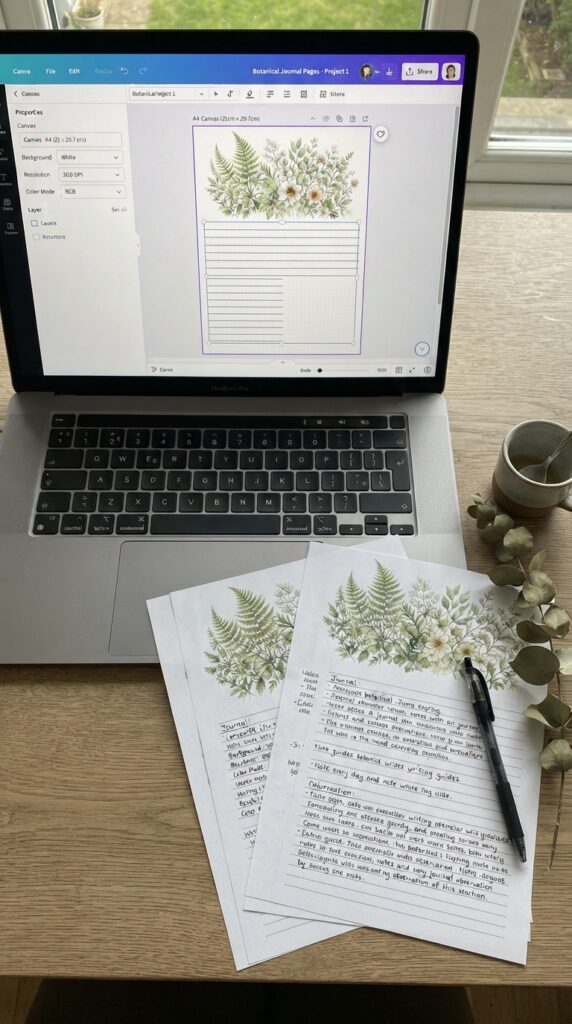
Create an A4 (210×297mm) or US Letter canvas at 300 DPI — essential for print quality. Place your AI image, fill the canvas, add practical elements: lined guides for writing pages, pocket outlines for pocket pages. Export each page as a high-quality JPG or PNG.
Step 5: Build your PDF bundle
Combine all pages into a single PDF in Canva. Add a title page, a “what’s included” guide, and a thumbnail preview grid showing all pages at once — this is your most powerful Etsy listing photo. Buyers want to see exactly what they’re getting before clicking buy.
Step 6: Write your Etsy listing
Title formula: [Primary keyword] | [Theme] | [Page count] | [Format]
Example: “Junk Journal Kit Printable | Victorian Botanical | 25 Pages | Digital Download PDF”
Lead with the primary keyword, include the page count as a value anchor, use all 13 available tags. Most important tags are theme-specific long-tail terms: “Victorian botanical journal,” “pressed flower junk journal,” “botanical printable kit” — not just the broad “junk journal” term.
Step 7: Drive traffic — and build toward your own platform
A new Etsy shop won’t get organic search traffic immediately. Pinterest is how you fix this and it’s also how you build an audience that follows you beyond Etsy.
PinCraft AI creates pin graphics, titles, descriptions, and keywords from your product in a few clicks — then you upload directly to Pinterest. Create 5–10 pins per kit and pin consistently from day one.
Longer term, build your own sales platform alongside Etsy. Every Etsy sale pays a 6.5% transaction fee plus listing fees. On Gumroad, Payhip, Stan Store, or your own website via Hostinger’s AI builder, you keep nearly all the revenue. You also build a customer list you actually own, rather than one Etsy controls.
The traffic strategy for your own platform is the same: Pinterest and blog content. Write posts covering junk journal ideas and tutorials — Claude AI produces complete well-structured posts efficiently from your ideas and product information. Each blog post brings in organic search traffic month after month. Promote every post with PinCraft AI and you have a complete flywheel: blog drives search, Pinterest amplifies it, your platform captures the revenue without the fees.
Download the free Pinterest Viral Blueprint for the complete traffic strategy.
Realistic expectations
- Time: 3–5 hours from start to live listing. Gets faster as you learn.
- Pages: 20–25 is enough for a $7–$9 price point. Don’t overthink the first one.
- Sales: First sales typically come 2–6 weeks after launching Pinterest traffic. The market is there — the question is patience while it builds.
🔍 The tool I use for Etsy market research
EverBee shows you real Etsy sales data, monthly revenue, and conversion rates for any search term — before you create a single page. I used it to find the $4,142/month listing and verify every stat in this post. Free to try.
Frequently asked questions
How long does it take to make a junk journal kit?
With the AI workflow — prompt generator, AI image tool, Canva formatting — a 25-page kit takes 3–5 hours for your first attempt and 2–3 hours once you’re familiar. Prompt writing drops from 90+ minutes to 20–25 minutes with a dedicated prompt generator. Image generation and selection takes 60–90 minutes. Canva formatting takes 45–60 minutes.
What should I price my first junk journal kit?
For a 20–25 page digital kit, $7–$9 is the right starting range. Accessible enough to minimise purchase hesitation while signalling genuine quality. As you build reviews, moving to $9–$12 for core kits is straightforward. Bundle pricing at $15–$25 for 2–3 coordinating kits generates higher revenue per transaction.
Do I need a printer to sell digital junk journal kits?
No. Digital kits are PDF downloads — your buyers download and print themselves. You never touch a printer. The only reason to print your own pages is for listing photography to show buyers what the printed result looks like.
Is Etsy or my own website better for selling junk journal kits?
Both serve different purposes. Etsy provides existing buyer traffic and social proof through reviews — best starting point. Your own platform (Gumroad, Payhip, Stan Store, or a Hostinger website) gives higher margins with no 6.5% fee, a customer list you own, and full brand control. Use Etsy for discovery and your own platform for repeat customers and higher margins.
How do I get traffic to my Etsy junk journal shop?
Pinterest is the #1 free traffic source. Create 5–10 pins per kit using PinCraft AI and pin consistently. Build a blog with junk journal ideas and tutorials — Claude AI writes these posts efficiently from your ideas. Each post brings ongoing search traffic. The blog-and-Pinterest combination creates compounding traffic without paid advertising.
Try PinCraft AI Free Today
Design beautiful Pinterest pins in seconds with AI. Start your free trial — no credit card needed.

Helping creators use AI tools and Pinterest to build digital product income from home.