
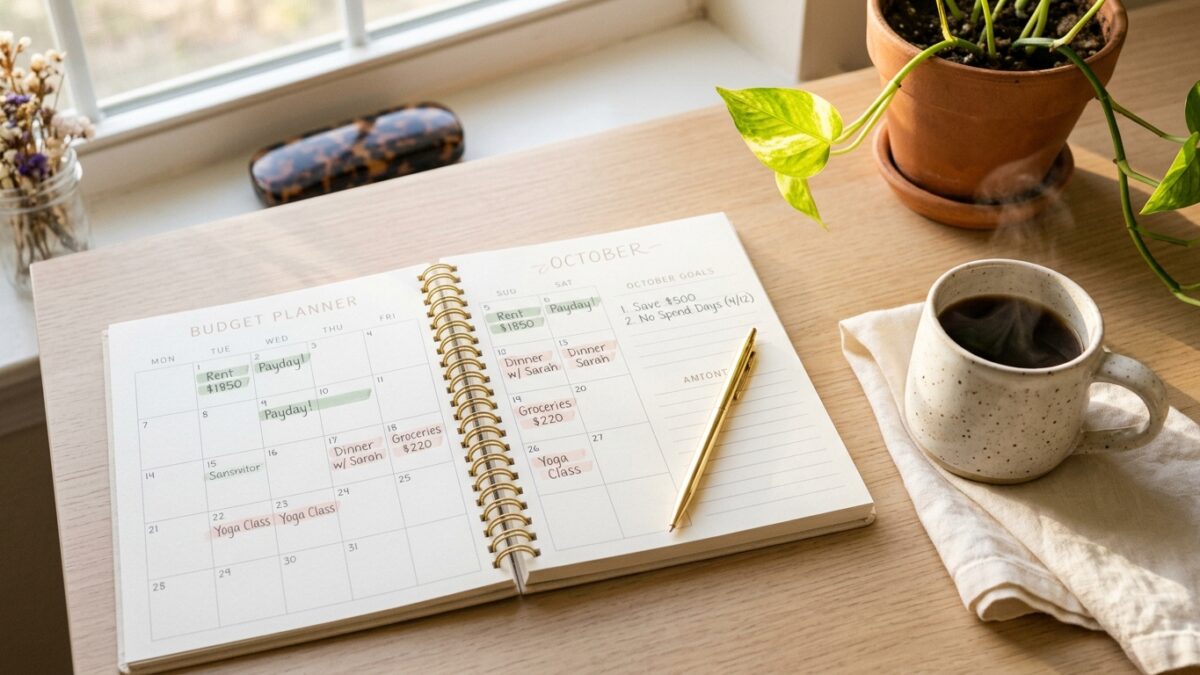
⚡ QUICK ANSWER: A free budget planner template is a printable worksheet that helps beginners track their monthly income, expenses, and savings in one simple layout — no spreadsheet skills or apps required. This free printable includes a full monthly budget dashboard and a weekly spending tracker. Download it below, print it at home, and start your first real budget this week.
Most budgeting advice makes the whole thing sound way more complicated than it needs to be. You download an app, stare at seventeen categories, try to remember what “discretionary spending” even means, and give up before you’ve entered your first number. Sound familiar?
Here’s what nobody tells you: the tool doesn’t need to be smart. You just need to be able to see your money clearly. And a simple, printable budget planner template — one you can fill in with a pen, on paper, at your actual kitchen table — does that better than almost anything else.
This free budget planner template is two clean pages. A monthly overview and a weekly tracker. Designed for real beginners who want to feel in control of their money without needing a finance degree to do it. And yes — it’s completely free. I’ll show you how to grab it before you leave this page.
Whether you’re trying to save your first $500 emergency fund, stop that end-of-month panic where your checking account looks suspiciously low, or just finally understand where your paycheck actually goes — this is the starting point that works.
Just so you know — some links in this post are affiliate links. If you grab something through my link, I may earn a small commission at no extra cost to you. I only share things I genuinely use or love. ✨
Why Most Free Budget Templates Actually Make Things Harder
Here’s a thing that doesn’t get said enough: most budget templates are built for people who already know how to budget.
They show up with 30 subcategories, formulas you need to tweak, tabs for sinking funds, and fields for things like “miscellaneous discretionary variance” — which, honestly, what? If you’ve ever downloaded a budgeting spreadsheet and immediately closed it because it felt overwhelming, that’s not a you problem. That’s a design problem.
A good budget planner template should do exactly three things: show you what you’re earning, show you where it’s going, and help you decide what to change next month. That’s the whole job.
What most templates miss is that budgeting is a habit, not a math problem. And habits stick when they feel simple, not when they feel like homework.
If you’ve tried budgeting apps before and drifted away from them — apps are actually harder to stay consistent with than paper. There’s something about physically writing your numbers down that makes the information feel real in a way that typing doesn’t. Studies on habit formation consistently show that handwriting improves retention and follow-through. Paper budgeters tend to stick with it longer.
Here’s the thing, though — the tool barely matters. The moment you write your first real number down is the moment something starts to shift.
What’s Inside This Free Printable Budget Planner Template
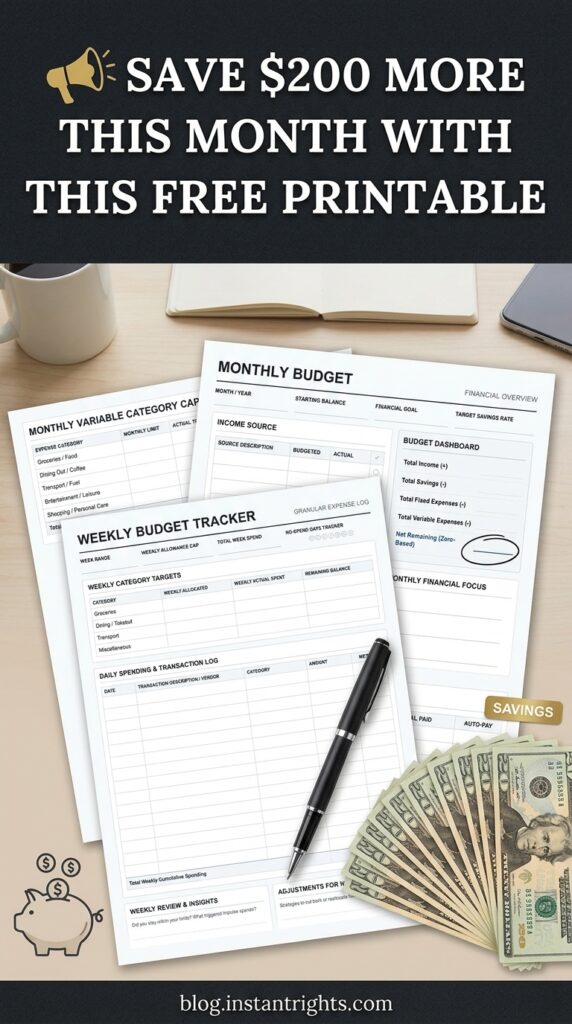
The download includes two pages, and each one has a specific job.
Page 1: The Monthly Budget Dashboard
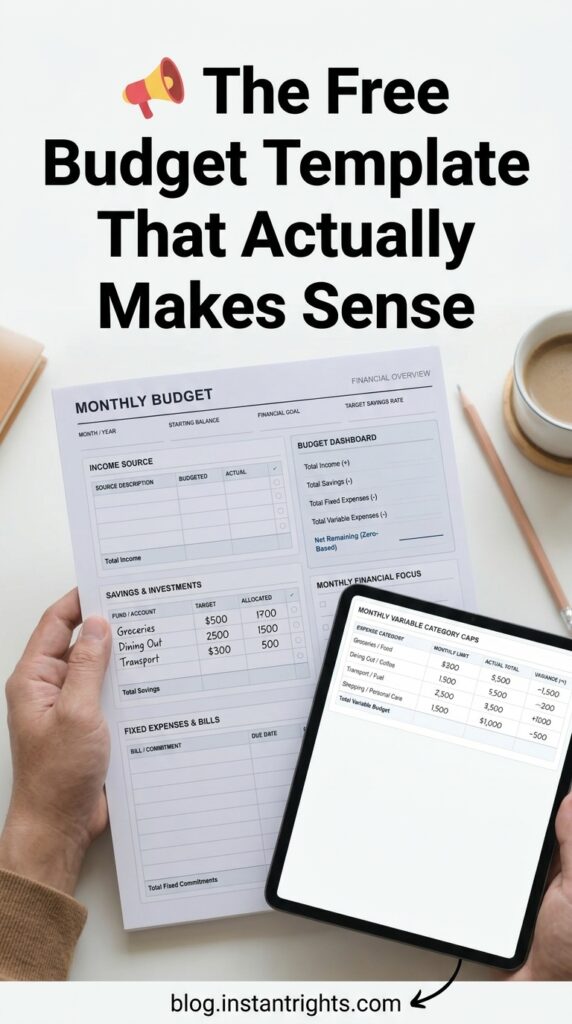
This is your big picture — the full month at a glance. At the top, you’ll fill in your month, starting balance, financial goal for the month, and your target savings rate. From there, the planner walks you through four sections:
- Income tracking — with budgeted vs. actual columns and a running total, so you can see if your side income is tracking the way you hoped
- Savings and investments first — because paying yourself before your expenses is the whole move
- Fixed expenses and bills — rent, subscriptions, insurance — the things that don’t change much
- Variable category caps — groceries, dining, transport, shopping — the categories that tend to surprise you
There’s also a Budget Dashboard built into the right column. This is where zero-based budgeting comes in — more on that in a minute — but essentially, it adds up your income and subtracts each category until you reach a net remaining number. The goal is to get that number as close to zero as possible. Not because you’re spending everything — because every dollar has been assigned a purpose.
Page 2: The Weekly Spending Tracker
This is the accountability page, and honestly? It’s the one that changes things the most.
Each week you’ll log your weekly allowance cap, your category targets broken into weekly chunks, and a daily transaction log — date, vendor, category, amount, payment method. There’s also a no-spend day tracker (seven small circles for each day of the week) that’s kind of satisfying to fill in once you get going.
At the bottom, there are two small reflection boxes: one for your weekly review, and one for adjustments heading into the next week. Five minutes on Sunday evening to fill those in is genuinely one of the most useful financial habits you can build.
✨ FRIEND TIP: Print four copies of Page 2 at the start of each month — one per week — and clip them behind the monthly overview page. Takes two minutes to set up and means you always have a fresh weekly log ready. No excuses, no printing mid-week while you’re already behind on everything else.
How to Actually Use a Budget Planner Template When You’re Starting from Zero
If you’ve never formally budgeted before, I want to walk you through a first week that doesn’t feel like a punishment.
Start here — not with perfection, just with these five steps:
- Print both pages. Page 1 once, Page 2 four times. That’s your whole month set up.
- Fill in your income first. Just your income. That’s the only thing you need to do on Day 1.
- Add your fixed bills. Rent, phone, subscriptions — the amounts you already know. Rough estimates are completely fine.
- Set your variable caps. Pick a number for groceries, dining, transport, and spending money. Ballpark. You’ll refine these after Week 1.
- Log every transaction for seven days. Every coffee, every grocery run, every random Amazon order. Everything. No judgment — just data.
That’s it. You’re budgeting now.
The review at the end of Week 1 — filling in those two reflection boxes on Page 2 — is where the actual value lives. Most people have genuinely never sat down and looked honestly at a full week of their own spending before. It’s a little uncomfortable. And it’s incredibly clarifying.
✨ FRIEND TIP: Don’t wait for the first of the month to start. Start right now, mid-month, with whatever week you’re in. An imperfect budget started today is worth infinitely more than a perfect one you’ll start next month. The data from a messy first attempt is actually the most useful data you’ll collect.
Zero-Based Budgeting: The Idea Behind This Template
The monthly dashboard in this free budget planner template is built on zero-based budgeting principles — and it’s probably the most beginner-friendly method out there once you get the concept.
The idea: income minus all your expenses, savings, and spending categories should equal zero. Not because you’re spending every dollar — but because every dollar has been assigned a purpose before the month starts.
Hot take, but this method actually feels less restrictive than not budgeting. Here’s why: when you’ve decided in advance that $200 is your grocery budget and $40 is your fun money — you can spend that $40 without guilt. No second-guessing every coffee shop visit. You already said yes at the beginning of the month.
For beginners, it works because:
- Full visibility. You see exactly where your money goes before it goes there.
- Savings first. You’re not saving whatever’s leftover — you’re saving before you spend anything else.
- Overspending becomes visible, not shameful. When a category goes over, you can see it and adjust. It’s information, not failure.
The Budget Dashboard in the top right of Page 1 is the zero-based calculator. Fill in your income at the top, then subtract each category. Watch the net remaining number drop toward zero. When it hits zero — or close to it — your budget is set.

What Happens After One Month of Honest Budgeting
Here’s something I wasn’t expecting when I first started tracking my spending carefully: within 6–8 weeks, most people find somewhere between $200 and $400 they didn’t know they had.
Not because they suddenly earned more. Because they finally saw where it was going.
That money doesn’t just sit there. It becomes a start. An emergency fund. A payment toward something that’s been hanging over you. A first investment. For a lot of people in the side-hustle space, getting their personal finances into some kind of order is the thing that finally gives them the mental clarity and breathing room to start building something on the side.
There’s a real connection between feeling stable financially and being able to think creatively about income. Ngl, the correlation is kind of remarkable once you see it in yourself.
Once your budget is running — even messily, even imperfectly — that’s usually when people start asking: okay, what’s next? How do I bring more in?
That’s a conversation I love. If you’re curious about building a quiet, consistent income stream through Pinterest, the 2026 Pinterest Viral Blueprint is honestly one of the better resources I’ve come across for beginners who want to start — but we’ll get there. First, let’s get your budget sorted. ✨
Download Your Free Budget Planner Template Right Here
No catch. No upsell on the other side. Just the printable, straight to your inbox.
The PDF includes both the monthly budget dashboard and the weekly spending tracker, formatted for A4 and US Letter paper. It prints cleanly on a standard home printer, and it’s designed to be filled in by hand.
Click here and pop your email in below, and I’ll send it straight to your inbox — usually within a minute or two.
Once it arrives, print both pages, grab a pen, and start with just one thing: your income. That’s the only step for today.
You Already Know More Than You Think
If you’ve made it this far, something in you is ready to do this differently — and that matters more than any template I could ever hand you.
Here’s what you now have:
- A two-page printable with a monthly dashboard and weekly tracker, built on zero-based budgeting principles
- A first-week plan that doesn’t require perfection — just five steps and a pen
- The actual reason budgeting works better on paper — and why starting imperfectly, right now, beats waiting for the “right” moment
Start with one month. Don’t aim to be perfect — aim to be present with your money. Fill in what you can, log what you spend, and review at the end of the week. That’s honestly the whole thing.
And when you’re ready to think about adding income on top of your newly organized finances — the 2026 Pinterest Viral Blueprint is a gentle, beginner-friendly starting point. No pressure — it’ll be there whenever you’re ready. ✨
❓ Frequently Asked Questions
Q1: What is a budget planner template and how does it work for beginners? A: A budget planner template is a structured printable or digital worksheet that helps you track income, spending, and savings in one place. You fill it in at the start of the month with your expected numbers, then log your actual spending as the month goes on. This free version uses a zero-based budgeting approach — meaning every dollar gets assigned a purpose before the month begins — and it’s designed to be beginner-friendly with no financial jargon or complicated formulas.
Q2: How do I use a free printable budget planner template for the very first time? A: Start with Page 1 and fill in just your income and your fixed monthly bills. That’s your whole Day 1. Then estimate your variable category caps (groceries, transport, fun money — ballpark figures work fine). From there, use the weekly tracker on Page 2 to log your actual daily spending. After your first week, look at the reflection section and write down what surprised you. That five-minute review is the step most people skip — and it’s the one that actually creates change.
Q3: Is this budget planner template actually good for complete beginners, or is it too basic? A: It’s specifically designed for people who’ve never formally budgeted before. There’s no financial jargon, no formulas to configure, and no overwhelming list of subcategories. The layout is clean and the zero-based dashboard walks you through the process step by step. Once you’ve used it for a couple of months and want something more detailed, you’ll have a clear idea of exactly what you need — but this is the right starting point.
Q4: What’s the difference between a monthly budget template and a weekly one — do I need both? A: A monthly budget template gives you the big picture — total income, savings targets, and category limits for the whole month. A weekly tracker zooms in on the daily details — actual transactions, category performance mid-month, and reflection notes. They work best together: the monthly page sets the plan, the weekly pages track how well you’re following it. This free download includes both, already designed to work as a pair.
Q5: How long does it take to see real results from using a budget planner? A: Most people notice a meaningful shift within 4–6 weeks of consistent use. The first month is mostly data collection — understanding where your money actually goes vs. where you thought it went. By Month 2, you have real numbers to work with, and that’s when people start spotting the patterns that free up money they didn’t know they had. Results vary, but the most common first win is finding $100–$300 in recurring spending that wasn’t actually making anyone happy.
Try PinCraft AI Free Today
Design beautiful Pinterest pins in seconds with AI. Start your free trial — no credit card needed.

Helping creators use AI tools and Pinterest to build digital product income from home.