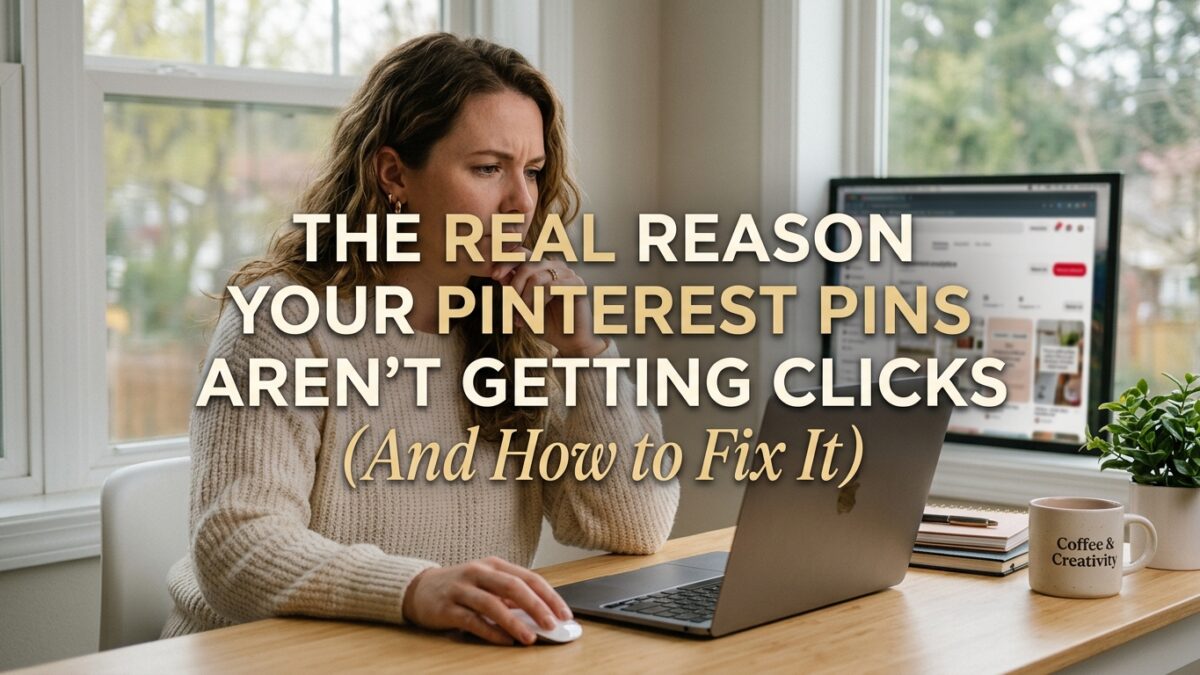
You spent time on those pins. You chose the colors, wrote something that seemed reasonable, pointed it to good content — and then watched it get three impressions and one save from your own account. That specific frustration is almost universal among Pinterest creators in their first six months, and I want to tell you something important: it’s almost never about the content itself.
It’s almost always one of four fixable problems. Not a sign that Pinterest doesn’t work for your niche, not proof that your content isn’t good enough — just specific technical and strategic mistakes that kill pin performance before the algorithm even gets a chance to show your content to real people.
Let’s go through all four, and I’ll tell you exactly what to do about each one.
Just so you know — some links in this post are affiliate links. If you grab something through my link, I may earn a small commission at no extra cost to you. I only share things I genuinely find useful. ✨
Reason 1: Your Title Is Working Against You
Pinterest’s algorithm reads your pin title the same way Google reads a page headline — it uses it to understand what the pin is about and decide who to show it to. A title with no keywords, or worse, a title that’s vague and unspecific, essentially tells Pinterest “I don’t know who needs this.” And Pinterest responds by showing it to almost nobody.
The most common title mistake is writing for aesthetics instead of search intent. “A little something for your morning routine ✨” might feel on-brand, but nobody is searching those words on Pinterest. “Printable Morning Routine Checklist for Adults — Free PDF” tells Pinterest exactly what the pin is, who it’s for, and what keywords to match it with.
Fix your titles with this three-part formula:
- Primary keyword first — the exact phrase your ideal reader would type into Pinterest search
- Specific benefit or descriptor — what makes this particular resource valuable (free, undated, beginner-friendly, 5-minute, etc.)
- Action or outcome word — what the reader will be able to do (save, track, plan, start, earn)
Example: “Passive Income Blog Ideas for Beginners — Start Earning with Pinterest in 90 Days” beats “My Favorite Ways to Make Money Blogging” for click-through rate every single time, because the first one speaks directly to a Pinterest search query.
Reason 2: Your Description Has No SEO Value
Most people write Pinterest descriptions like Instagram captions — short, atmospheric, emoji-heavy, and completely devoid of the keywords Pinterest needs to categorize the pin correctly. This is one of the most quietly damaging mistakes in Pinterest strategy.
Pinterest’s algorithm reads your description to build a complete picture of your content’s topic, audience, and relevance. A description that says “Loving this cozy vibe 🍂✨” tells the algorithm nothing useful. A description that says “This printable fall meal planner helps busy families plan four weeks of autumn dinners with a built-in grocery list — perfect for anyone trying to reduce food waste and save money on grocery shopping” gives Pinterest five distinct keyword signals to work with.
Your descriptions should be 150–200 characters. They should read naturally — not like keyword stuffing — but they need to contain 3–5 specific, searchable terms related to your content. Think about the words your reader would use to search for this, not the words you’d use to describe it to a friend.
PinCraft AI generates SEO descriptions for your pins by scanning your URL and identifying the highest-traffic keywords for your specific topic. It’s the fastest way I’ve found to write descriptions that actually contain the right keywords without spending 20 minutes per pin doing manual keyword research. When you’re batching 20 pins in an afternoon, that time saving compounds significantly.
Reason 3: Your Image Isn’t Stopping the Scroll
Pinterest is a visual platform in the most literal sense — before anyone reads your title or description, they see your image. That image has approximately 0.3 seconds to stop a person who is actively scrolling. If it doesn’t stop the scroll, nothing else matters.
Three image mistakes that kill click-through rate, and I see all three constantly:
Landscape format. Pinterest’s feed is a vertical grid. Landscape images get cut off, look smaller, and have dramatically lower visibility than portrait images. Every pin should be 1000×1500px (2:3 ratio) — full stop. Landscape pins have been shown to receive up to 60% fewer impressions than their portrait equivalents in the same niche.
No text overlay. The pins that get the most saves have a bold, clear headline layered over the image — something like “3 Ways to Make Your First $100 from Pinterest This Month.” The text overlay is what makes someone save the pin to come back to. It communicates the value before they even read the description. Without it, you’re relying entirely on your image to do all the conversion work.
Stock photography. Pinterest has catalogued billions of images from across the internet. If your image appears on any other website — any stock photo site, any PLR library, any shared graphic — Pinterest’s quality scoring system recognizes it and lowers your distribution. Every pin image needs to be unique and freshly generated.
PinCraft AI’s Mockup Studio solves all three of these at once — it generates unique, portrait-format, AI-generated lifestyle images and layers properly rendered text overlays on top. That combination — unique vertical image plus bold headline text — is the single highest-impact change most creators make when they start seeing real pin click-through rates.
Reason 4: You’re Triggering Pinterest’s Spam Detection
This one is less talked about but genuinely important — especially for anyone who’s been trying to pin consistently and still seeing declining reach.
Pinterest’s spam detection system (upgraded significantly in early 2026) monitors several behavioral patterns that flag accounts as low-quality or spammy. The two most common accidental triggers are:
Pinning the same URL too frequently. If you create 5 pins for one blog post and schedule them all within the same week, Pinterest may interpret that as URL spamming — pushing one page aggressively rather than sharing genuinely diverse content. The safe practice is a minimum 7-day gap between any two pins pointing to the same URL.
Generic AI-written content in pin descriptions. Pinterest’s spam detection patent (granted March 2026) specifically includes a system for identifying AI-generated filler content — phrases like “in today’s digital landscape,” “unlock your potential,” “a comprehensive guide” — and downgrading pins that contain them. Write descriptions in a real, specific, human voice.
PinCraft AI’s smart scheduler tracks your URL cooldown periods automatically — it shows you exactly which links are ready for new pins and which ones are still in their 7-day rest period. It’s the kind of quiet backend protection that keeps your account healthy while you focus on creating content rather than managing a spreadsheet of pin schedules.
How to Fix All Four Problems Without Starting Over
Good news: you don’t need to delete everything and begin again. Most of these fixes apply going forward — and a few targeted improvements to your existing pins can make a real difference.
Here’s your four-step repair plan:
Step 1: Audit your existing pin titles. Look at your five lowest-performing pins. Do the titles contain a specific, searchable keyword? If not, update them using the Pinterest search suggestion method — type your topic into the search bar and use the auto-suggested phrases.
Step 2: Rewrite the descriptions for your top 10 pins. Each should be 150–200 characters, contain 3–5 specific keywords, and read like something a helpful person wrote — not a keyword cloud. If you want the fastest path to better descriptions, paste your URLs into PinCraft AI and let it suggest keyword-optimized versions.
Step 3: Create new portrait images for your best content. Take your 3–5 highest-traffic blog posts and create fresh, unique, AI-generated portrait pins with bold text overlays. These will immediately outperform any landscape or stock-photo pins you have pointing to the same content.
Step 4: Check your URL rotation schedule. Pull up whatever scheduling tool you’re using and make sure no URL is appearing more than once in any 7-day window. Build in the cooldown period as a non-negotiable part of your scheduling process.
Your Pins Were Never the Problem
Most creators who are frustrated with Pinterest aren’t creating bad content — they’re making highly fixable technical mistakes that prevent good content from ever being seen. Keyword-free titles. Description-free pins. Landscape images. Stock photos. URL spam. Any one of those can suppress an entire account’s reach regardless of how good the underlying content is.
Fix the titles. Rewrite the descriptions. Create unique, vertical, text-overlaid images. Respect the URL cooldown. That’s the whole repair list.
And if you want to make the description-writing and image creation parts faster — especially if you’re managing 20+ URLs — PinCraft AI handles the most time-consuming parts of all four fixes in one tool. Your future self will be very glad you didn’t spend another month posting pins that the algorithm never shows to anyone. ✨
Frequently Asked Questions
Why are my Pinterest impressions so low even though I’m pinning daily?
Low impressions despite daily pinning usually indicates one of three things: your pin titles lack searchable keywords so Pinterest doesn’t know who to show them to; your images are in landscape format and getting deprioritized in the feed; or you’re pinning the same URLs too frequently, which triggers spam suppression. Audit your titles first — that’s the highest-impact fix.
How do I write a Pinterest pin description that actually gets clicks?
Write 150–200 character descriptions that contain 3–5 specific keywords your ideal reader would actually search for, read naturally in a human voice, and clearly communicate what the reader will get by clicking. Avoid vague language, generic phrases, and anything that sounds like filler content — Pinterest’s algorithm specifically identifies and downgrades those.
What size should Pinterest pins be in 2026?
The optimal Pinterest pin size is 1000×1500px in portrait (2:3) format. This is the full-height format that gets maximum visibility in Pinterest’s grid feed. Landscape images are significantly penalized in terms of feed real estate — they appear smaller and get substantially fewer impressions than portrait pins in the same niche.
Can I use Canva templates for Pinterest pins?
Yes, Canva is a great tool for creating Pinterest pin designs. The important thing is that your finished image should be unique — don’t publish a template that thousands of other Canva users are also using on their Pinterest accounts. Customize colors, fonts, images, and layout enough that your pin is genuinely distinct from other versions of the same template.
How often should I pin to the same URL on Pinterest?
A minimum 7-day gap between pins pointing to the same URL is the safe standard. Pinterest’s spam detection monitors URL repetition patterns, and pinning the same link more than once per week can trigger suppression. Create multiple unique pins for each blog post (different images, titles, descriptions) and spread them across a 30-day rotation to stay safely within Pinterest’s guidelines.
Try PinCraft AI Free Today
Design beautiful Pinterest pins in seconds with AI. Start your free trial — no credit card needed.

Helping creators use AI tools and Pinterest to build digital product income from home.