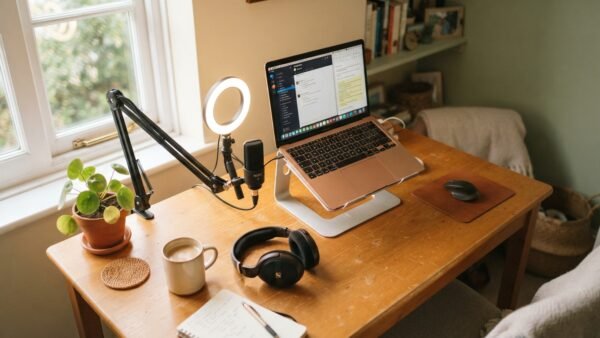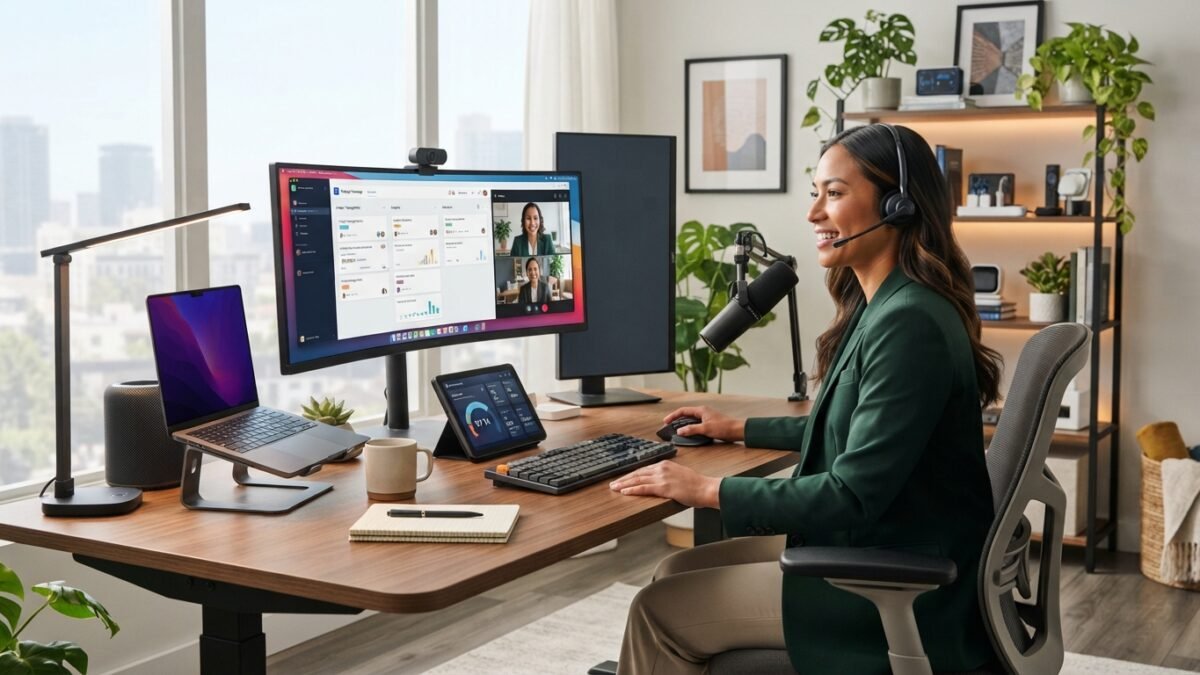
Not all work-from-home setups are equal. Someone answering emails for an employer has different needs than someone running their own online business — managing products, creating content, handling customers, marketing on multiple platforms, and doing all the admin that comes with being your own boss.
This list is built for the second group. These are the essentials that actually move the needle for online business owners working from home — not generic productivity tips, but specific tools and systems that address the real friction points.
Disclosure: This post contains affiliate links. I may earn a small commission if you purchase through my links, at no extra cost to you.
The Physical Essentials
A dedicated workspace — even a small one
Working from the sofa or the kitchen table feels fine until it doesn’t. Without a consistent workspace, your brain never fully enters work mode because the environment doesn’t signal it. Even a small desk in a corner of a room — ideally with your back to the wall and minimal distractions in your eyeline — changes your output significantly.
The non-negotiable: your workspace and your relaxation space should not be the same physical location. This single distinction does more for work-life balance and focus than any productivity app.
A chair with genuine lumbar support
You will sit for many hours. A chair that causes discomfort will interrupt your focus constantly. This doesn’t mean spending $500 — it means spending $80-$120 on a chair specifically designed for multi-hour seated work rather than using a dining chair indefinitely.
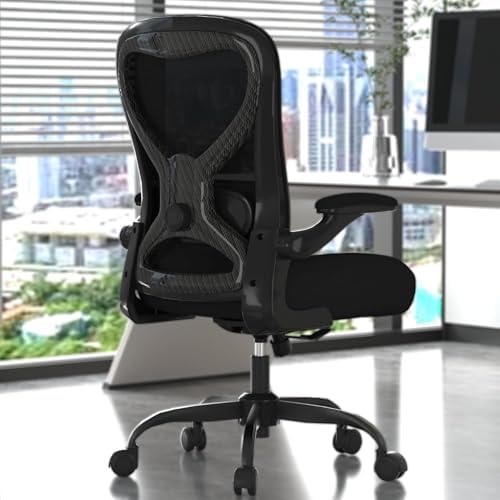
- [4-WAY ADJUSTABLE LUMBAR SUPPORT — ENGINEERED FOR YOUR SPINE] Moves up/down 1.8″ and in/out 1.06″ for a precise, persona…
- [3.54″ EXTRA-THICK SEAT CUSHION — 1″ THICKER THAN STANDARD] High-density foam maintains its shape through 8+ hour workda…
- [SUPPORTS UP TO 330LBS — ASSEMBLES IN 30 MINUTES, BUILT TO LAST YEARS] A reinforced 5-point nylon base and smooth-rollin…
Reliable internet
Online businesses depend on internet connectivity in a way that regular remote work often doesn’t. You’re uploading product files, managing social accounts, using cloud-based tools, potentially doing video calls, and streaming content. Slow or unreliable internet is an operational risk, not just an inconvenience. A Wi-Fi extender ($25-$40) or a direct ethernet connection to your router solves most connectivity issues at desk level.
Good headphones
Noise-cancelling headphones are the work-from-home luxury that people most consistently say was worth every penny. If you share your home with other people, children, or general household noise, the ability to create silence on demand is genuinely valuable for focus work.
Budget option: $30-$50 for a decent over-ear pair. Mid-range that most online business owners consider worthwhile: $80-$150. You don’t need AirPods Pro to benefit from this.

- Neodymium magnets and 40 millimeter drivers for powerful, detailed sound.Specific uses for product : Professional audio …
- Closed ear design provides comfort and outstanding reduction of external noises
- 9.8 foot cord ends in gold plated plug and it is not detachable; 1/4 inch adapter included
The Digital Tools That Matter
A scheduling and social media tool
Manually posting content to Pinterest, Instagram, and Facebook every day is not a sustainable workflow for a solo online business owner. Scheduling removes the daily interruption and lets you batch-produce content in focused sessions rather than fragmenting your attention constantly.
Metricool handles multi-platform scheduling with analytics built in. The free tier is genuinely useful; the paid tier is worth it once Pinterest becomes a real traffic source. It shows you what content is driving traffic, which pins are getting outbound clicks, and where to focus your content effort.
A content creation tool you actually use
Canva is the default for most online business owners and for good reason — it handles Pinterest graphics, product mockups, social media posts, PDFs, and presentation assets in one place. The free tier works for getting started. Pro becomes worthwhile when you’re producing content consistently and need the brand kit, background remover, and expanded template library.
A Pinterest content system
If Pinterest is part of your traffic strategy — and it absolutely should be for anyone selling digital products — bulk content creation is the difference between Pinterest working and Pinterest being a constant source of guilt. Creating pin titles, descriptions, and image prompts one by one is slow and unsustainable.
PinCraft AI generates titles, SEO descriptions, keywords, and image prompts for up to 20 posts simultaneously. For an online business owner managing a blog, products, and Pinterest simultaneously, this is what makes consistent Pinterest activity actually achievable.
A simple project management system
You don’t need complex project management software. You need a reliable system for knowing what needs to happen this week, what’s in progress, and what’s done. Trello free tier, Notion, or even a well-structured Google Sheet works. The format matters less than having a single source of truth for your business tasks.
Cloud storage you trust
Google Drive or Dropbox for business files means your work is never lost to a hard drive failure and accessible from any device. For online business owners, your digital files are your business assets. Back them up properly.
The Habits That Are Actually Essential
Time blocking over a to-do list
A to-do list tells you what to do. A time-blocked schedule tells you when to do it. Online business owners working from home tend to struggle more with time management than office workers because there’s no external structure. Blocking specific hours for specific types of work — content creation, customer service, business admin, product development — prevents the scattered half-productivity that kills output.
A hard start and stop time
Working from home blurs the edges of the working day dangerously easily. “Just one more thing” at 9pm is a habit that builds until you’re never fully off. A consistent stop time protects your recovery time — which directly affects the quality of your working time. IMO this is the most underrated work-from-home essential on this entire list.
A morning system before you open email or social media
Starting your work day by checking messages puts you immediately into reactive mode — responding to other people’s priorities rather than your own. Even 30-60 minutes of focused work on your most important task before you check anything is a significant productivity shift. Most online business owners who try this don’t go back.
The Things You Don’t Need (Yet)
There’s a category of work-from-home purchases that feel productive but don’t actually improve output for an online business owner in the early stages:
- An expensive standing desk (get the chair right first)
- A premium podcast microphone when a $50 USB mic works fine
- Multiple screens beyond two (diminishing returns quickly)
- Smart home automation for your workspace
- A monthly tool subscription for every productivity category
Buy what solves a real friction point you’re currently experiencing. Not what looks appealing in a home office setup video.
The One Investment That Pays Back Fastest
If there’s one area where the return on investment is clearest for online business owners working from home, it’s time-saving tools and systems. Your time is the most constrained resource in a solo business. Any tool that reliably gives you back an hour per week is worth far more than its subscription cost over a year.
A content scheduling tool that removes daily social media management. A Pinterest tool that turns three hours of pin creation into one session per month. A simple project management system that eliminates the “what am I doing today” paralysis.
These aren’t luxuries. For an online business owner working from home, they’re the infrastructure that makes consistent output possible alongside everything else a running a business requires.
What’s the tool or system that’s made the biggest difference in your own work from home setup? I’m always curious what’s actually working for people — drop it in the comments.
Try PinCraft AI Free Today
Design beautiful Pinterest pins in seconds with AI. Start your free trial — no credit card needed.

Helping creators use AI tools and Pinterest to build digital product income from home.