If you have been sitting on the idea of selling digital products online but cannot figure out what to actually create — this post is for you.
I am Kelly, and I build and sell interactive AI tools online. My Sticker Prompt Generator and my Junk Journal Prompt Generator are both live, both selling, and both were built using a process I developed from scratch after spending way too long trying to figure out what worked. I put together a free guide with 100 specific tool ideas — sorted by niche — so you do not have to start from a blank page the way I did.
But before I share the link, I want to give you a taste of what is inside, because I think seeing a few real examples will help you understand why these ideas are different from the usual “sell a printable” advice you might have heard before.
Why Interactive Tools Sell Differently Than Printables
Here is something nobody told me when I started selling digital products.
A printable is a one-time transaction. Someone buys it, downloads it, maybe uses it once, and that is the end of the relationship. There is nothing to come back to and nothing to share with a friend.
An interactive tool is a completely different experience. Someone opens it in their browser, types in their own information, and gets a result that feels personal to them. A meal plan built around their family. A set of journal prompts matched to how they are feeling today. A chore chart with their child’s actual name on it.
That personalisation changes everything. People bookmark these tools. They come back to them. They send the link to friends who have the same problem. And from a seller’s perspective, these tools work on every device — phone, tablet, laptop — without any extra effort from you.
The best part? You do not need to know how to code to build one. I use AI to do the building. I just bring the idea.
A Taste of What Is in the Free Guide
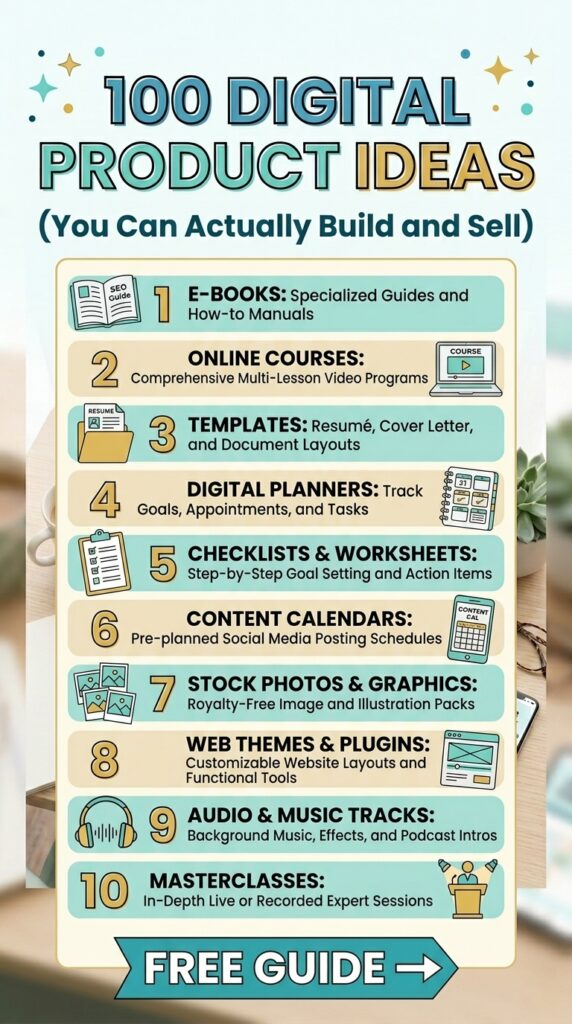
The full guide has 100 ideas across 8 different niches. Here is a small sample to show you the kind of ideas inside.
For Etsy and Craft Sellers
Etsy Listing Title Generator The user types their product description and gets 5 SEO-optimised Etsy listing title variations ready to copy and test. Every Etsy seller needs better titles and most hate writing them — which makes this a tool people will pay for and return to every time they list something new.
Sticker Theme Idea Generator User selects a style — kawaii, vintage, cottagecore, bold — and gets 5 specific sticker concept ideas with a colour palette and mood description for each. Sticker sellers are one of the largest Etsy categories and constantly need fresh design inspiration.
Seasonal Craft Theme Generator User picks a season or upcoming holiday and gets 5 trending craft theme ideas with colours, products, and what is likely to sell. Needed 4 times a year by every craft seller — which means it is always relevant.
For Moms and Families
Kids Activity Idea Generator Mom enters her child’s age and whatever materials she has on hand — crayons, cardboard, playdough — and gets 5 specific screen-free activity ideas with step-by-step instructions. This is searched every school holiday and every rainy afternoon. The demand never stops.
Personalised Chore Chart Builder Parent enters the child’s name, age, and available days. Gets a customised chore chart with age-appropriate tasks, a reward suggestion, and motivational language that uses the child’s actual name. An interactive personalised version of this beats any static printable because it feels like it was made specifically for their family.
Family Meal Plan Generator User enters family size, dietary preferences, and available cook time. Gets a 5-day dinner plan with simple recipes and a shopping list. Meal planning is one of the most searched topics for moms every single week — this is a tool people would genuinely use constantly.
For Bloggers and Content Creators
YouTube Video Title Generator User enters their video topic and niche. Gets 5 click-worthy title variations — curiosity, search-friendly, trend, and personal story angles — with a short note on why each would perform well. Every YouTuber spends too long on titles. This solves that in seconds.
Pinterest Pin Title Generator User enters their blog topic or product. Gets 5 Pinterest-optimised pin titles with keyword suggestions and a note on which audience each one targets. Pinterest is a major traffic source for bloggers and pin titles directly affect reach — sellers in this niche buy tools like this.
Blog Post Outline Worksheet Generator User enters their blog post title and gets a complete structured outline — intro hook, headings, sub-points, conclusion approach, and an internal link prompt. Bloggers who outline before writing publish faster and rank better. This makes the process easier, which means they come back to it every time they write.
For Wellness and Lifestyle
Daily Journal Prompt Generator User selects a mood or intention — gratitude, healing, goal-setting, creativity — and gets 5 gentle specific journal prompts. Journaling tools are consistently top-selling wellness digital products on Gumroad and Etsy.
Personalised Affirmation Generator User enters their name and current life challenge. Gets 5 deeply personalised affirmations that use their actual name and speak directly to their situation. Personalisation makes affirmation tools feel premium — and worth paying for.
30-Day Wellness Challenge Builder User selects a wellness focus — sleep, movement, hydration, mindfulness — and gets a complete 30-day challenge with one specific daily task, a weekly theme, and a Sunday reflection prompt. Challenge formats are widely shared on social media which drives organic traffic to your listing long after you publish it.
For Teachers and Educators
Report Card Comment Generator Teacher selects subject, effort level, and student strength. Gets 5 professional positive comment starters ready to personalise with the student’s name. Report card writing is the most dreaded teacher task and it happens multiple times a year — which makes this a tool teachers will come back to every single term.
Classroom Activity Idea Generator Teacher picks activity type and group size. Gets 5 ready-to-run activity ideas with a quick setup note, materials list, and learning outcome for each. Teachers buy activity ideas constantly — an interactive generator that tailors results to their actual class setup is significantly more valuable than a static list.
For Food and Home Creators
Weekly Dinner Idea Generator User enters number of people, dietary preferences, and available cook time. Gets 7 dinner ideas — one per day — with a difficulty rating, prep time, and description of each meal. What is for dinner is one of the most searched questions every single day worldwide. This is a tool with built-in daily demand.
Budget Meal Plan Generator User enters their weekly grocery budget and family size. Gets a 5-day meal plan that fits the budget with a cost estimate per meal and a batch cooking suggestion. Budget cooking content is more searched than ever — this is exactly the kind of tool people bookmark and share with their families.
For Celebrations and Events
Wedding Theme Idea Generator Couple enters their style preferences and season. Gets 3 unique wedding theme concepts with a colour palette, decor direction, florals suggestion, and vibe description for each. Wedding planning is a year-round multi-billion dollar niche and engaged couples search constantly — this is a tool with a massive potential audience.
Birthday Party Planning Checklist Builder User enters whether it is a child or adult party, guest count, and weeks until the event. Gets a personalised countdown checklist covering venue, invitations, decor, food, activities, and day-of tasks. Birthday parties are planned millions of times a year and people always feel unprepared — which is exactly the problem a tool like this solves.
There Are 100 of These in the Free Guide
Everything above is just a small sample. The full guide has 100 specific ideas across all 8 niches — Etsy and craft, moms and family, entrepreneurs and business, bloggers and content creators, wellness and lifestyle, education and kids, food and home, and celebrations and events.
Every idea includes a description of how the tool works and a short note on why it is likely to sell. You can filter ideas by type — generators, quiz tools, checklist builders, worksheet tools, affirmation generators, journal prompt generators — so it is easy to find the kind of tool that fits your audience and your style.
It is completely free. No catch.
👉 Grab the 100 AI Tool Ideas Guide Here (replace with your hosted lead magnet link)
So What Do You Do With an Idea Once You Have One?
Once you have picked the idea that excites you most from the guide, the next step is building it — and that is where the Sell Your First AI Tool — Studio comes in.
The studio is a guided 5-step process that walks you from idea to live product. You answer a few simple questions, choose your brand colours and style, and the studio generates two complete AI prompts for you — one that builds your interactive tool, and one that builds your sales page. You take those prompts to Claude AI, paste them in, and the AI writes the entire thing for you as a working file you can publish the same day.
It is $19 at launch price. If you already have your idea from the free guide, the studio is the next step.
And if you would rather build it alongside someone in real time, I also offer Build With Me sessions where we sit down together and get your tool built, published, and listed for sale in one session.
Ready to Find Your Idea?
The hardest part of selling digital products is usually just figuring out what to build. The free guide takes care of that part.
👉 Download 100 AI Tool Ideas — Free (replace with your hosted lead magnet link)
Pick one. Build it. See what happens.
Want to see how I build these tools in real time? Head over to my YouTube channel — I post new workflows and digital product tutorials every week. And if you want to drive more traffic to your tools using Pinterest, check out PinCraft AI — the tool I use to create and schedule pins automatically.
Try PinCraft AI Free Today
Design beautiful Pinterest pins in seconds with AI. Start your free trial — no credit card needed.

Helping creators use AI tools and Pinterest to build digital product income from home.