(Hero banner image goes here – upload your AI-generated 1920×1080 banner and set as Featured Image / insert below H1)
⚡ Quick Answer
You can build and sell your first AI tool — like an interactive worksheet, quiz, or planner — in a single weekend, with zero coding experience. The process involves picking a niche problem, using AI to generate the tool’s code, and hosting it for free on GitHub Pages. If you can copy, paste, and follow steps, you can do this.
Okay so real talk — if you’ve ever opened a blank Canva doc, stared at it for ten minutes, and then closed your laptop feeling kind of defeated… you are so not alone. I’ve been there more times than I’d like to admit. Printables are great, but there’s this whole other category of digital product that most people don’t even realize they can make themselves: interactive tools.
Think calculators, quizzes, planners that actually do something when someone clicks a button — not just a PDF they print and forget about. And the wild part? You don’t need to know a single line of code to build one. I’m walking you through exactly how to go from “I have an idea” to “this is live and someone can buy it” — and yes, it really can happen in one weekend.
Just a heads up — some links here are affiliate links. If you grab something through my link, I may earn a small commission at no extra cost to you. I only ever share things I genuinely use or love. ✨
📺 Watch It In Action
More of a watcher than a reader? Totally valid — the full walkthrough is here:
Why You Keep Starting and Never Finishing (And Why That’s Not Your Fault)
Here’s the thing nobody tells you — it’s not that you lack ideas. It’s that the path from idea to “live thing someone can buy” feels foggy. You open a new tab, start researching Etsy vs Gumroad for the hundredth time, and somehow three hours disappear without a single thing getting built.
Maybe you’ve tried printables before. You spent hours making something genuinely beautiful, uploaded it, and… three sales. Crickets after that. It’s not that your design skills are bad — it’s that printables are a crowded, saturated category, and static PDFs don’t give people a reason to come back.
There’s a smarter lane here. Interactive tools — the kind people actually use, bookmark, and return to — are still a wide open space. And the tech to build them? It’s already sitting in your browser, free, waiting for you to ask it the right questions.
What Counts as an “AI Tool” (It’s Simpler Than You Think)
When I say “AI tool,” I’m not talking about building the next ChatGPT. I’m talking about small, focused, genuinely useful web tools — the kind that solve one specific problem really well.
Things like:
- An interactive worksheet that walks someone through planning their first product
- A quiz that recommends a personalized routine, plan, or product
- A calculator that does math your audience hates doing themselves
- A generator that spits out personalized ideas, names, or templates
I built my Sticker Prompt Generator using exactly this approach, and honestly? It took a fraction of the time my printables ever did — and people keep coming back to use it, which printables never gave me.
✨ FRIEND TIP: If you’re stuck on what to build, think about the question your audience asks you over and over. That repeat question is basically a tool idea wearing a disguise.
Step One: Get Specific About Who You’re Helping
Direct answer: the clearer you are on your audience and their exact struggle, the easier every other step becomes.
Before you touch any AI tool, sit with three questions:
- Who is this for? (Be specific — not “everyone,” but “aspiring digital product creators who feel overwhelmed”)
- What’s the one thing they’re stuck on?
- Where do they hang out, and where will you sell to them?
This part feels small but it’s doing a lot of heavy lifting. When you know your audience is, say, beginners who can’t figure out how to map out and price their first printable, the rest of the process basically writes itself — because now you’re solving one real problem instead of trying to build something for “everybody.”
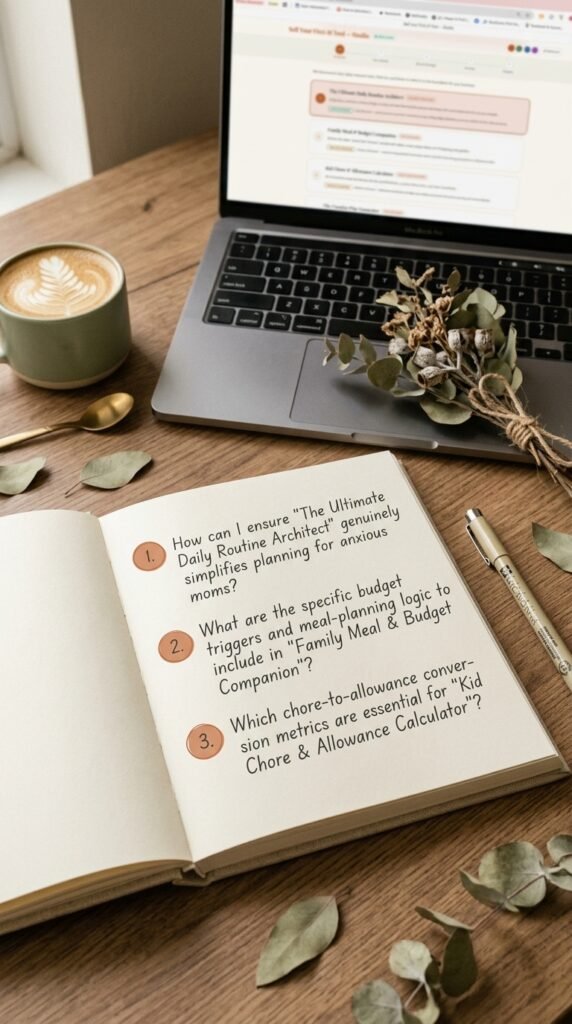
3 Questions That Decide What AI Tool You Should Build
Step Two: Let AI Do the Heavy Lifting on Your Idea
Once you know your audience and their problem, the next move is turning that into a concrete tool concept. This is where things get genuinely fun — because instead of staring at a blank page, you’re having a conversation.
You feed your audience and their problem into an AI prompt, and it hands you back several distinct tool ideas, often ranked by how much demand exists for each one. From there, you pick the one that feels most doable and most aligned with what you already know.
Say less — this step alone saves you the hours of “but what if nobody wants this” spiraling. You’re not guessing anymore. You’re working from a shortlist.
This is honestly the part where the Sell Your First AI Tool Studio earns its keep — it’s a guided dashboard that walks you through this exact process step by step, so you’re never sitting there wondering what to type into a prompt box. I wasn’t expecting much from it at first, ngl, but it turned what used to feel like guesswork into something almost embarrassingly straightforward.
✨ FRIEND TIP: Pick the idea that makes you go “oh, I could actually use this myself.” That gut reaction usually means you understand the problem well enough to build something genuinely good.
Step Three: Make It Yours With Branding
Direct answer: your tool needs to look like it belongs to you — colors, fonts, and overall vibe — before the AI builds it.
This step is where a lot of people either skip ahead too fast or get stuck overthinking. You don’t need a full brand book. You just need:
- Your hex codes (or a pre-built palette you love — warm minimalist is my personal favorite)
- A general style direction (minimal, playful, cozy, editorial — whatever fits you)
- Whether you have a logo to include
Whatever you choose here gets baked directly into the instructions the AI uses to build your tool. So instead of getting a generic, cookie-cutter result, you get something that actually looks like your brand made it.
🚫 “I’m not tech-savvy enough” — I hear this one a lot, and honestly? This step is just picking colors. If you’ve ever used Canva, you’ve already done harder design work than this.
Step Four: The Two Prompts That Build Everything
Here’s the part that feels like magic the first time you see it. Once your idea and branding are set, you end up with two complete, fully-written prompts — one builds your actual interactive tool, and one builds the sales page to go with it.
You’re not writing these from scratch. They’re already written, detailed, and ready to copy.
From here:
- Copy the first prompt
- Paste it into Claude AI (completely free to use)
- Hit send
- Watch it write your entire tool as a single file
Then you save that file, open it in your browser, and — plot twist — you have a working, branded, interactive tool. No plugins, no app builders, no monthly software fees.
How AI Builds Your Tool For You

Step Five: Get It Live (For Free)
Direct answer: you can host your finished tool online at zero cost using GitHub Pages, and have it live within the hour.
Once your tool file is saved, the last stretch is publishing it somewhere people can actually access it. GitHub Pages is free, doesn’t require a credit card, and once it’s set up, updates are as simple as uploading a new file. No hosting fees, no “upgrade your plan” emails six months later.
This is the step that used to feel the most intimidating to me, ngl — “hosting” sounded like something only developer people did. But it’s genuinely just a handful of clicks once you know where to go, and the instructions for this exact part are spelled out step-by-step inside the Sell Your First AI Tool Studio so you’re not piecing it together from random YouTube comments at midnight.
🚫 “I don’t have time for this” — Realistically, once your idea and branding are set, the build-and-publish part can happen in an afternoon. Not a month of weekends. An afternoon.
What This Could Actually Look Like For You
Imagine opening your phone on a random Tuesday to a sale notification — for something you built in a weekend, sitting quietly online, doing its thing while you were at work, asleep, or just living your life.
That’s the shift here. Not “go viral overnight” energy — just a small, useful thing that exists now and didn’t before. My Junk Journal Prompt Generator and Sticker Prompt Generator both came out of this exact process, and both are still out there working away, completely independent of whether I posted that day or not.
It’s lowkey one of the most satisfying feelings — checking something and realizing it sold while you weren’t even thinking about it.
This Weekend Project Could Sell While You Sleep
You’ve Got This — Here’s What to Remember
You now know more about building and selling AI tools than most people ever bother to learn. Seriously — you went from “what even is this” to having an actual roadmap, and that’s not nothing.
A few things to hold onto: your audience and their specific problem matter more than the tool itself. AI can write the actual code for you — for free — once you know what to ask for. And hosting it live doesn’t require any technical background, just a few guided steps.
Whenever you’re ready to actually build this out, the Sell Your First AI Tool Studio is there to walk you through every single piece of this — the idea, the branding, the prompts, and the publishing — so you’re never staring at a blank screen wondering what comes next. No pressure, no rush. It’ll be there whenever the timing feels right for you.
You don’t need permission, and you definitely don’t need to be “techy.” You just need an afternoon and a willingness to hit copy and paste a few times. That’s genuinely it. 🤍
❓ Frequently Asked Questions
Do I need to know how to code to build an AI tool?
Nope, not at all. The whole point of this method is that AI writes the actual code for you based on a detailed prompt. Your job is choosing the idea, the branding, and copying the result — that’s it.
What AI tool should I use to actually build the thing?
Claude AI is free to use and works really well for this — you paste in your prompt, and it generates the full interactive tool as a single file you can save and open in your browser.
Is this actually worth it for total beginners?
Honestly, yes — and that’s not me being a cheerleader. The barrier to entry here is genuinely low (an afternoon, free tools), so even if your first tool isn’t perfect, you’ll have learned the whole process for next time without much risk.
How is this different from making printables?
Printables are static — someone downloads a PDF and that’s the end of the interaction. Interactive tools let people actually do something (fill in a form, get a result, save their progress), which tends to make them more memorable and more likely to be used again.
How fast can I realistically have something live?
If you already have a rough idea of your audience and their problem, the build-and-publish part can genuinely happen in a single afternoon. Going from “idea” to “live tool” in one weekend is very doable, even your first time.
Try PinCraft AI Free Today
Design beautiful Pinterest pins in seconds with AI. Start your free trial — no credit card needed.

Helping creators use AI tools and Pinterest to build digital product income from home.