๐Ÿ“Œ New! PinCraft AI โ€” Design stunning Pinterest pins in seconds. Grab your free trial โ†’
Uncategorized

The Best AI Tools for Junk Journal Creators in 2026

Spread the love

๐Ÿ“ Before Publishing: Add focus keyword, meta description, and featured image in your SEO plugin. Assign categories and tags before going live.

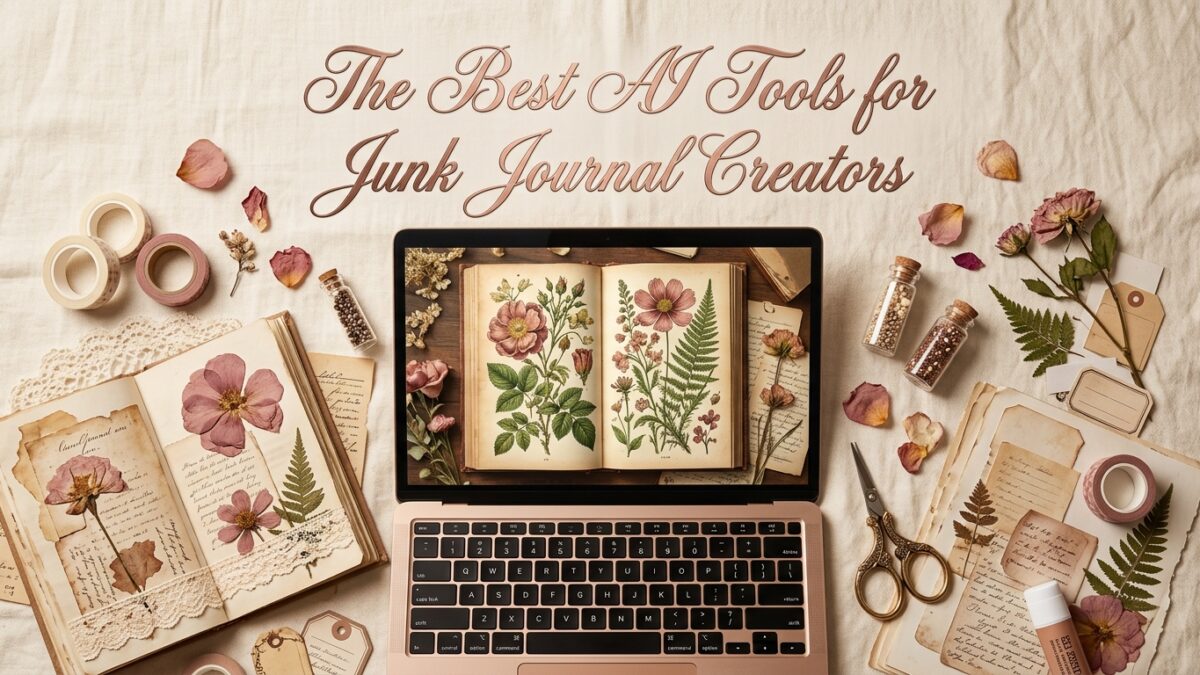
๐Ÿ–ผ๏ธ Hero / Featured Image Prompt — paste into Midjourney, Adobe Firefly, DALL‑E, or Canva AI (Magic Media) to generate your blog banner:

Creative workspace flatlay with a laptop showing an AI-generated vintage botanical page on screen, surrounded by junk journal pages, pressed flowers, craft supplies, warm studio lighting, overhead editorial angle, cream and dusty rose tones, high resolution

There are roughly a thousand AI image tools available right now. Most of them will produce something usable for a generic social post or a blog header. For junk journal pages specifically? Most of them need serious coaxing to produce anything that looks aged, handcrafted, and premium. The defaults are too clean, too bright, too obviously digital.

I’ve tested the major tools specifically for junk journal content — backgrounds, ephemera sheets, botanical illustrations, and texture fills. Here’s the honest breakdown of what each tool does well, where it falls short, and the exact prompts that get the best results.

What Makes an AI Tool Good for Junk Journals?

Junk journal pages have specific visual requirements that not all AI tools handle equally:

  • Texture reproduction — aged paper, linen, foxing spots, and worn edges need to look tactile, not smooth and artificial
  • Illustration style fidelity — Victorian engravings, loose watercolors, and hand-drawn botanicals are very different from photorealistic outputs
  • Color palette restraint — muted, desaturated tones rather than the bright saturated defaults most tools produce
  • Printable output resolution — 300 DPI minimum at intended print size, not web-quality images that pixelate when printed

Midjourney

Midjourney consistently produces the most aesthetically refined outputs of any tool right now. For junk journals, it handles texture depth, illustration style fidelity, and aged color palettes better than the competition. The outputs feel genuinely handcrafted in a way that other tools are still catching up to.

The friction is real though: it runs inside Discord, which disrupts workflow, and the free tier is no longer available. The basic subscription is $10/month. For serious Etsy sellers, the output quality justifies that investment quickly in reduced regeneration time and better-looking pages. Best for Victorian, Dark Academia, and cottagecore.
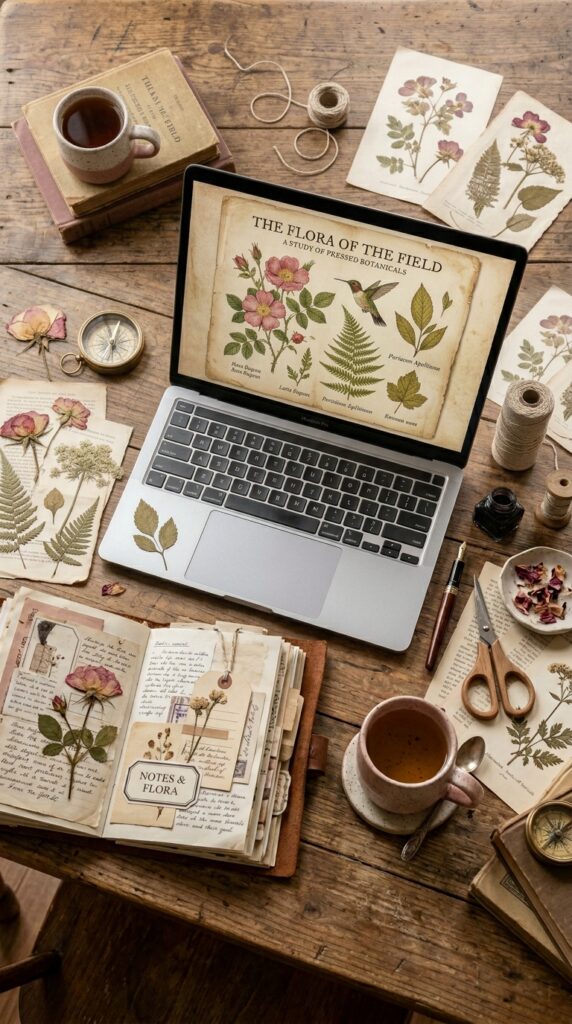
โœจ Copy-Paste Junk Journal Page Prompt — drop this straight into Canva AI, Midjourney, Firefly, or DALL‑E to generate this style of page for your kit:

Aged Victorian botanical manuscript page, hand-engraved rose and ivy border illustration, foxed cream parchment texture, sepia and dusty pink tones, scanned antique book aesthetic, detailed crosshatch shading, high resolution printable --ar 2:3 --style raw

Adobe Firefly

Firefly is significantly underrated for junk journal work. It handles watercolor washes, botanical illustrations, and soft cottagecore aesthetics really well. Every image comes with Adobe’s Content Credentials, meaning commercial licensing is clear from day one — no gray area for Etsy sellers who need to be confident in their usage rights.

It also integrates directly with Canva, which means you can generate a page in Firefly and immediately bring it into your Canva mockup workflow without any file downloads. Best for cottagecore, soft botanical themes, and coastal aesthetics.
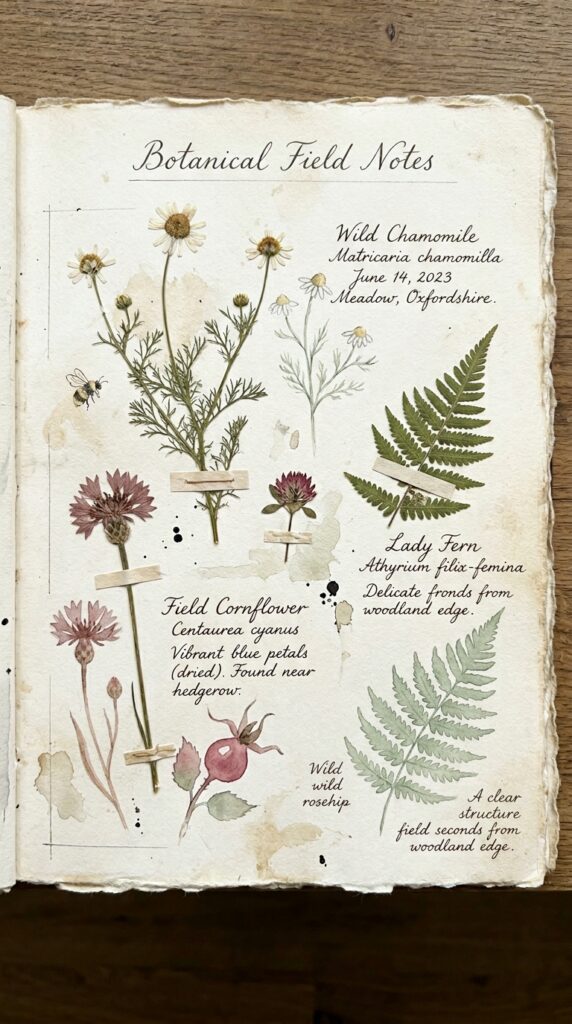
โœจ Copy-Paste Junk Journal Page Prompt — drop this straight into Canva AI, Midjourney, Firefly, or DALL‑E to generate this style of page for your kit:

Watercolor botanical journal page, pressed wildflowers and fern leaves on aged cream paper, soft sage green and dusty rose palette, hand-painted illustration style, natural paper grain texture, uneven organic painted edges, high resolution printable, portrait format

DALL-E via ChatGPT

DALL‑E is the most accessible entry point — if you already use ChatGPT, you already have it. It’s improved significantly in illustration style handling. Where it consistently struggles is muted color palettes and texture depth — without specific pushback language in your prompt, it produces outputs that are brighter and cleaner than the aged aesthetic junk journal buyers expect.

The fix is to explicitly describe what you don’t want: ‘muted, desaturated tones’ and ‘aged worn texture’ rather than relying on the aesthetic label alone. Best for beginners who want to start immediately without a new subscription.

โœจ Copy-Paste Junk Journal Page Prompt — drop this straight into Canva AI, Midjourney, Firefly, or DALL‑E to generate this style of page for your kit:

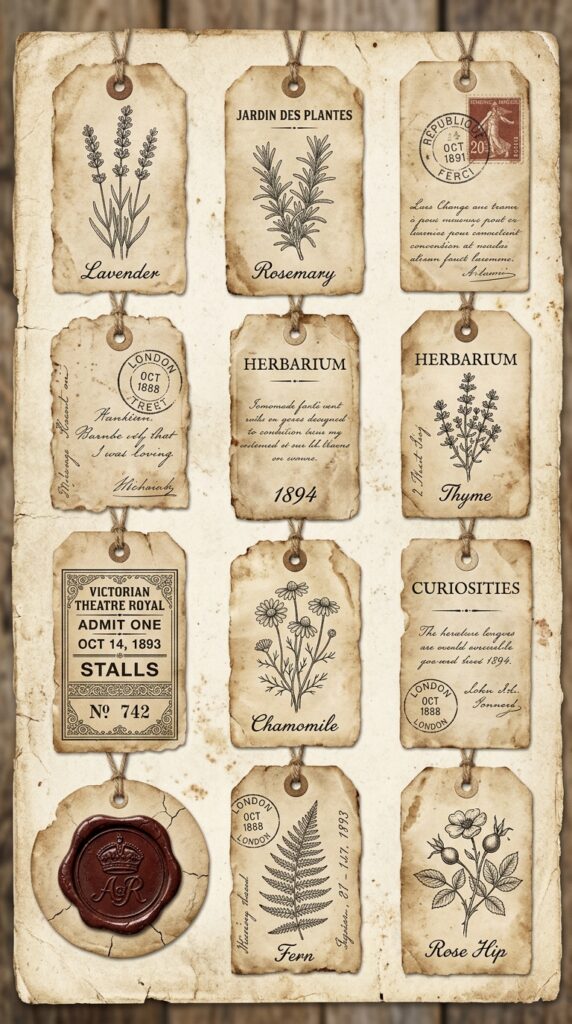
Vintage ephemera tags on aged parchment, hand-drawn botanical labels, wax seal, antique postal stamp, Victorian ticket stub, muted sepia and cream tones, desaturated palette, worn paper texture, printable sheet layout, high resolution
Canva AI (Magic Media)

Canva’s built-in AI generator deserves a spot on this list because of one significant practical advantage: it lives inside the same platform where you’ll build your mockup images and listing thumbnails. Generate your junk journal pages and compose your listing photos in the same session without switching tools or transferring files.

Output quality sits below Midjourney and Firefly for detailed illustration work, but for backgrounds, texture fills, and simpler botanical elements it produces very usable results. Canva Pro gives you significantly higher generation limits and access to the premium template library for mockup building — if Canva is your primary workflow tool, that upgrade makes the single-platform approach genuinely efficient.
โœจ Copy-Paste Junk Journal Page Prompt — drop this straight into Canva AI, Midjourney, Firefly, or DALL‑E to generate this style of page for your kit:

Cottagecore journal background, soft watercolor wildflower arrangement on aged linen paper, pressed botanical illustrations, muted sage and blush rose palette, natural grain texture, loose hand-painted style, high resolution printable

๐Ÿ“ธ Inline Blog Image — Tool Comparison Visual — generate in Canva AI, Midjourney, or Firefly then drop into this section:

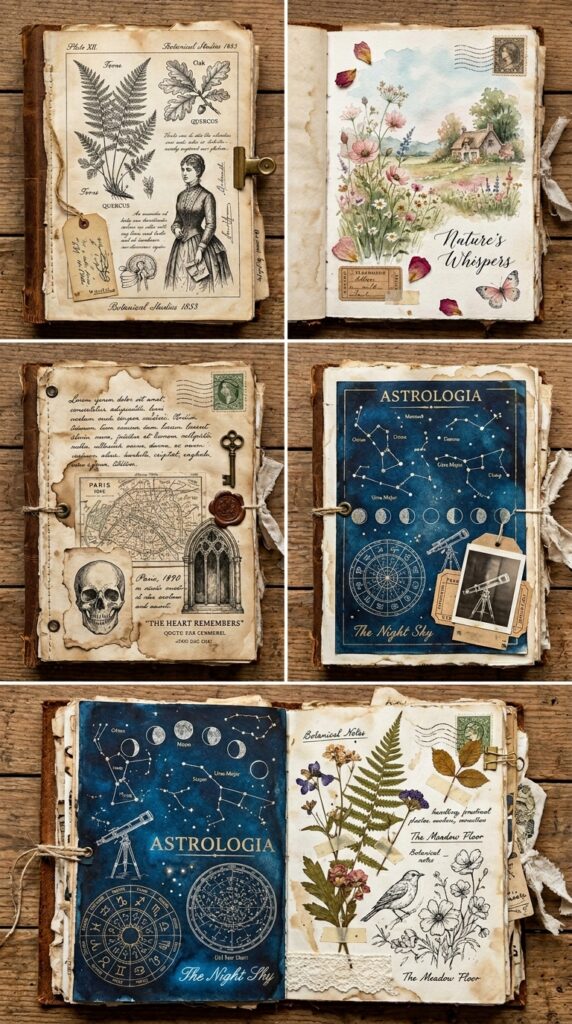
Five different vintage junk journal pages in a grid, each showing a distinct AI generation style: Victorian engraving, soft watercolor, dark moody academia, celestial midnight, cottagecore botanical -- aged paper throughout, editorial flat lay, warm natural light, high resolution

Leonardo AI

Leonardo is the strongest free-tier option on this list. Generous daily free credits and the fine-tuned Leonardo Diffusion XL model handles vintage textures and muted palettes better than DALL‑E. The negative prompt feature is particularly useful — explicitly excluding ‘modern, digital, bright colors’ keeps outputs from drifting toward the clean aesthetic you’re trying to avoid.

The interface has more options than most beginners need, which can feel overwhelming initially. Once you find the right model setting and build a negative prompt template, it becomes a very capable free tool for high-volume creators.
โœจ Copy-Paste Junk Journal Page Prompt — drop this straight into Canva AI, Midjourney, Firefly, or DALL‑E to generate this style of page for your kit:

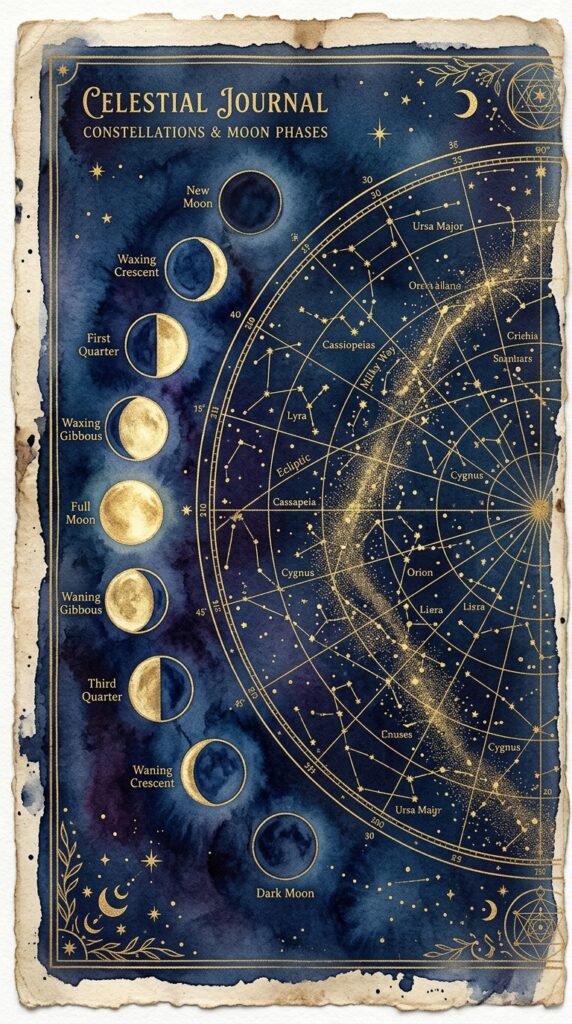
Celestial journal page background, midnight blue watercolor wash, gold constellation map overlay, moon phase cycle illustration, aged paper texture, mystical aesthetic, muted indigo and antique gold palette, high resolution printable -- negative: bright colors, modern, digital, neon

The Real Variable: Prompt Quality

Here’s what none of these tools can fix on their own — if your prompt is vague, your output will be generic. That’s equally true whether you’re using Midjourney or a free tool. The AI generates exactly what you describe, no more. The prompts in this post work because they specify subject, art style, era, color palette, texture, and format simultaneously. That specificity is the skill.

If you want an entire prompt library organized by theme and page type — already tested, already cohesive across a full kit — that’s exactly what the Junk Journal Prompt Generator provides. It works with every tool on this list, including Canva AI.


Pick one tool from this list, learn its quirks using the prompts above, and build your prompt library from there. The tool matters less than most people assume. The prompts matter far more. Get those right and any of these tools will produce pages worth selling.

๐Ÿ“Œ

Try PinCraft AI Free Today

Design beautiful Pinterest pins in seconds with AI. Start your free trial โ€” no credit card needed.

Start Free Trial โ†’
Heather
Content Creator & AI Enthusiast

Helping creators use AI tools and Pinterest to build digital product income from home.
Leave a Reply

Your email address will not be published. Required fields are marked *

Uncategorized

The Best AI Tools for Junk Journal Creators in 2025

Spread the love

📝 Before Publishing: Set your Featured Image, focus keyword, meta description, categories, and tags. Upload generated images to placeholder blocks below.

🖼️ HERO IMAGE — also set this as your Featured Image

✨ Hero Image Prompt: Creative workspace flatlay with a laptop showing an AI-generated vintage botanical page on screen, surrounded by junk journal pages, pressed flowers, craft supplies, warm studio lighting, overhead editorial angle, cream and dusty rose tones, high resolution

There are roughly a thousand AI image tools available right now. Most of them will produce something usable for a generic social post. For junk journal pages? Most need serious coaxing to produce anything that looks aged, handcrafted, and premium. The defaults are too clean, too bright, too obviously digital.

I’ve tested the major tools specifically for junk journal content — backgrounds, ephemera, botanical illustrations, and texture fills. Here’s the honest breakdown, with prompts you can paste in and test yourself.

โœฟ What Makes a Tool Good for Junk Journals Specifically?

  • Texture reproduction — aged paper, linen, foxing spots need to look tactile
  • Illustration style fidelity — Victorian engravings, watercolors, and hand-drawn botanicals are very different
  • Color palette restraint — muted, aged tones rather than bright AI defaults
  • Printable resolution — 300 DPI minimum at intended print size

โœฟ Midjourney

Midjourney produces the most aesthetically refined outputs of any tool right now. For junk journals, it handles texture depth, illustration style, and aged color palettes better than the competition. The outputs feel genuinely handcrafted. Downside: it runs inside Discord and requires a paid subscription ($10/month). Best for Victorian, Dark Academia, and cottagecore.

โœจ Copy-Paste AI Prompt — drop into Canva AI, Midjourney, Firefly, or DALL‑E:

Aged Victorian botanical manuscript page, hand-engraved rose and ivy border illustration, foxed cream parchment texture, sepia and dusty pink tones, scanned antique book aesthetic, detailed crosshatch shading, high resolution printable --ar 2:3 --style raw

โœฟ Adobe Firefly

Firefly is significantly underrated for junk journal work. It handles watercolor washes and botanical illustrations really well, and every image comes with Content Credentials — commercially licensed from day one, no gray area for Etsy sellers. It also integrates directly with Canva, so you can generate a page and immediately move it into your mockup workflow. Best for cottagecore, botanical, and coastal aesthetics.

โœจ Copy-Paste AI Prompt — drop into Canva AI, Midjourney, Firefly, or DALL‑E:

Watercolor botanical journal page, pressed wildflowers and fern leaves on aged cream paper, soft sage green and dusty rose palette, hand-painted illustration style, natural paper grain texture, uneven organic edges, high resolution printable, portrait format
📸 Generate this image and upload here โ†‘

✨ AI Prompt for the image above: Flat lay of two vintage botanical junk journal pages on linen surface, left watercolor wildflower style, right Victorian engraving rose style, aged paper textures, muted sage and dusty rose tones, natural light, editorial photography, high resolution

โœฟ DALL-E via ChatGPT

DALL‑E is the most accessible entry point — if you already use ChatGPT, you already have it. It handles illustration styles reasonably well but struggles with muted palettes without specific pushback language. Add ‘muted, desaturated tones’ and ‘aged worn texture’ explicitly. Best for beginners starting immediately without a new subscription.

โœจ Copy-Paste AI Prompt — drop into Canva AI, Midjourney, Firefly, or DALL‑E:

Vintage ephemera tags on aged parchment, hand-drawn botanical labels, wax seal, antique postal stamp, Victorian ticket stub, muted sepia and cream tones, desaturated palette, worn paper edges, printable sheet layout, high resolution

โœฟ Canva AI (Magic Media)

Canva’s built-in generator lives inside the same platform where you’ll build your mockup images and listing thumbnails. Generate junk journal pages and compose your listing photos in the same session without file transfers. Output quality sits below Midjourney and Firefly for detailed illustration work, but for backgrounds, texture fills, and simpler botanical elements it’s very usable. Canva Pro gives you higher generation limits and premium mockup templates.

โœจ Copy-Paste AI Prompt — drop into Canva AI, Midjourney, Firefly, or DALL‑E:

Cottagecore journal background, soft watercolor wildflower arrangement on aged linen paper, pressed botanical illustrations, muted sage and blush rose palette, natural grain texture, loose hand-painted style, high resolution printable

โœฟ Leonardo AI

Leonardo is the strongest free-tier option. The Leonardo Diffusion XL model handles vintage textures and muted palettes well. Negative prompts are useful — explicitly exclude ‘modern, digital, bright colors’ to keep outputs from drifting toward clean aesthetics.

โœจ Copy-Paste AI Prompt — drop into Canva AI, Midjourney, Firefly, or DALL‑E:

Celestial journal page background, midnight blue watercolor wash, gold constellation map overlay, moon phase cycle illustration, aged paper texture, mystical aesthetic, muted indigo and antique gold palette, high resolution printable -- negative: bright colors, modern, digital, neon
📸 Generate this image and upload here โ†‘

✨ AI Prompt for the image above: Five different vintage junk journal pages in a grid, each showing a distinct AI generation aesthetic: Victorian engraving, soft watercolor, dark academia, celestial midnight, cottagecore botanical — aged paper throughout, editorial flat lay, warm natural light, high resolution

โœฟ The Real Variable: Prompt Quality

No tool fixes a vague prompt. The prompts in this post work because they specify subject, art style, era, color palette, texture, and format simultaneously. For an entire organized library of prompts by theme and page type, see our complete junk journal AI prompts guide.

Pick one tool, learn its quirks with the prompts above, and build your library from there. The tool matters less than most people think. The prompts matter far more. Get those right and any of these tools will produce pages worth selling.

๐Ÿ“Œ

Try PinCraft AI Free Today

Design beautiful Pinterest pins in seconds with AI. Start your free trial โ€” no credit card needed.

Start Free Trial โ†’
Heather
Content Creator & AI Enthusiast

Helping creators use AI tools and Pinterest to build digital product income from home.
Leave a Reply

Your email address will not be published. Required fields are marked *

โœจ Recommended Tool

Create Stunning Pinterest Pins with AI

PinCraft AI helps bloggers and business owners design eye-catching pins in seconds โ€” no design skills needed.

Start Free Trial โ†’ โœ“ Free trial available โœ“ No credit card required